
Moodle’s own hosted plan for a hundred users is listed at US$270 a year.1 That plan can’t take a single plugin, and in my experience the gap between that number and what an organization actually spends keeping a working Moodle running is mostly people’s hours, which rarely show up on an invoice.
In short: Moodle, the learning management system (LMS) where your courses, learners and grades live, is free to download and costs money to run. The one cost Moodle publishes is a hosting floor. Everything above it is hosting you size yourself, upgrades, plugins, integrations and the person who keeps it working, and those are hours only you can count. A platform decision changes your costs, your risk and who can look after it. It doesn’t, by itself, change whether people use the training.
I should tell you my bias before you read further. I build WordPress learning platforms for a living, and LearnDash and Sensei are among the tools I build on, so I have a horse in this race and you deserve to know it. I have also built and run Moodle: installed it, hosted it, configured the roles, applied the upgrades, and been the person on the phone when one of those upgrades went sideways on a weeknight. That’s the lens I’m writing from: someone who has paid the cost of both.
The license genuinely costs nothing. Moodle is provided as open-source software under the GNU General Public License, without licensing fees.2 But a license is the smallest line on the bill.
What a free Moodle LMS costs to run
This is the free puppy problem. The puppy costs nothing to take home. Then come the food, the vet, the fence, the chewed shoes, and years of your time. Nobody who has owned a dog thinks of it as free, and nobody who has run Moodle for real thinks of the software as the cost. Once you see it that way, the rest of this stops being a surprise and starts being a budget you can build.
The one price Moodle does publish
MoodleCloud is Moodle’s own paid hosting, and its standard plans are priced openly, billed annually. As I read them on 11 October 2026 the page listed five tiers, with the Canadian-dollar price beside each.1
| Plan | Users | Storage | Per year (USD) | Per year (CAD) |
|---|---|---|---|---|
| Starter | 50 | 1 GB | 170 | 230 |
| Mini | 100 | 2.5 GB | 270 | 380 |
| Small | 200 | 5 GB | 490 | 700 |
| Medium | 500 | 20 GB | 1,190 | 1,700 |
| Standard | 750 | 50 GB | 2,100 | 2,990 |
The floor is low and it climbs steeply: the Standard plan costs about twelve times the Starter plan. And one line matters more than any price. On every one of these plans, you “are not able to install any plugins or integrations.”1 Single sign-on, so people use one login across your tools, comes in a few forms. Moodle’s core sign-in options include OAuth 2 (the “sign in with Google” style) and LDAP, the directory many organizations run internally.3 SAML, the kind many universities and larger employers use, is a third-party plugin,4 and a custom connection to your student information system is an integration. The MoodleCloud pages I read don’t say which of the core sign-in options are switched on, so ask before you assume. Either way, a plugin or a custom connection forces you off the cheapest hosting and onto a partner or your own server, where the number stops being published.
Where the money goes with Moodle
Let me name the parts, because “it depends” is not something you can put in a spreadsheet.
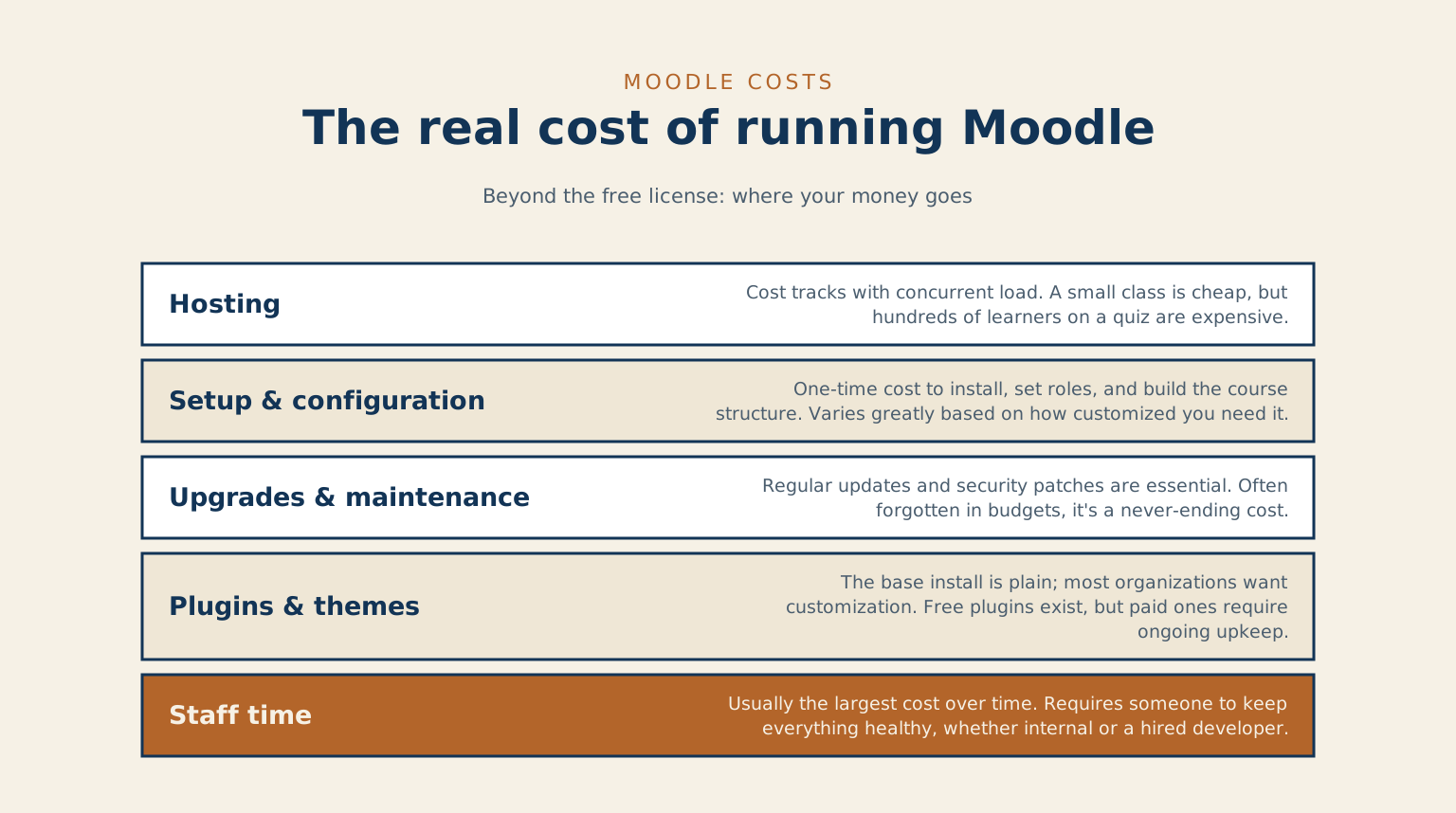
Hosting. Moodle runs on a server, and that server has to hold up when people log in at the same time. A class of thirty is nothing.
Five hundred learners hitting a quiz at nine in the morning on exam day is a different machine entirely.
Moodle’s performance documentation tells you to add as much memory as you can (it suggests 4 GB or more), to use caching, and to load-test with a tool such as JMeter.5 I looked for a published table that maps number of simultaneous users to server size and didn’t find one. From my own projects, hosting follows how many people are on at once far more than how many accounts you hold, and either way the load test is yours to run.
Setup and configuration. Someone has to install it, set the roles, build the course structure, and make it match how your organization teaches. This is a one-time cost, and it swings widely with how particular you are.
Upgrades and maintenance. This is the line people forget when they budget, and it’s documented. Moodle releases a new major version every six months, and each carries a support window: version 4.5, a long-term support release, receives security fixes until 4 October 2027, and 5.3, the next long-term release, which came out on 5 October 2026, receives them until 1 October 2029.6 Releases also move the ground under you. Moodle 5.2 and 5.3 require at least PHP 8.3 (the programming language Moodle is written in), and 5.3 sets minimum versions for the database software too, which means your server, not just Moodle, has to be upgraded on their schedule.7 The upgrade documentation tells you to test on a copy of your production site and to make sure you have the right version of each third-party plugin for the new release.8 A long-term release gives you a bounded window, and then the upgrade arrives whether or not anyone budgeted for it.
Plugins and themes. The base install is plain. Most organizations want it to look like theirs and do a few things the core does not. Some plugins are free, some are paid, and all of them have to be kept current. Moodle’s own documentation cautions that some plugins in its directory haven’t been reviewed for quality or suitability, and asks you to test them in a non-production environment first.9
Integrations. This is where budgets get surprised. Connecting Moodle to a student information system runs through its web services, which let your other systems talk to Moodle directly.10 Each of these is real work, and each one has to keep working after every upgrade.
Staff time. Above all of it sits the human who keeps the thing healthy, whether that’s a person on your payroll or a developer you pay by the hour. In my experience this is the largest cost over the life of the platform, and I found no published ratio that proves it, so read that as my judgement and test it against your own hours. A Canadian university’s review of learning systems makes the adjacent point: Moodle has no licensing or other service fees if you self-host, “but self hosting has its own costs.”11
Support. Moodle certifies partners for hosting, customization and support, and its partner page publishes no prices.12 That means the tier where most organizations with real needs end up is the one where you have to ask for a quote.
| Line item | One-time or ongoing | What moves it |
|---|---|---|
| Hosting | Ongoing | Concurrent load: how many people use the system at the same moment |
| Setup and configuration | One-time | How particular you are about roles, course structure, and fit |
| Upgrades and maintenance | Ongoing, on Moodle’s release cycle | The support window you’re on, and what breaks after each release |
| Plugins and themes | Some one-time, some ongoing | Free versus paid, and keeping every one of them current |
| Integrations | One-time build, re-tested after every upgrade | Each system you connect: student information system, single sign-on, video |
| Staff time | Ongoing; in my experience the largest line | In-house skill versus paying a developer by the hour |
A realistic range, and why I won’t give one number
I’ll give you my ranges, and then explain why I won’t collapse them into a single figure. They come from my own projects, in Canadian dollars, and I couldn’t find an independent published figure that supports or contradicts them, so treat them as one practitioner’s working numbers.
At the low end, a small organization of around a hundred learners, on managed hosting, using mostly free plugins, with someone in-house comfortable doing the admin work, has come in at the low thousands a year all in. The hosting floor above is a few hundred dollars, so the rest of that number is hours. At the high end, the institutions I’ve worked with, with thousands of learners, custom development, a student-information-system link, single sign-on and a support contract, have spent well into five figures a year.
I won’t hand you one number because a single figure would be a guess wearing a suit, and you’d carry it into a meeting where someone smart is going to ask you to defend it. What I’ll give you is the shape. A year of Moodle costs roughly the hosting, plus the plugin licences, plus the hours of whoever administers it multiplied by what those hours cost, plus integration upkeep, plus a support contract if you buy one. The first term is published. The others are yours to count, and the hours are the one that moves the answer most.
Here’s how I’d count them. Go through the last quarter and tally the time spent on upgrades, on plugin breakages, on answering “why can’t I log in” and on building or fixing courses’ technical setup, including the time of the people who did it on the side. Then put a price on an hour: the loaded cost of the employee, or the rate of the contractor you’d call. That product is your staff line, and it’s the number I’d defend in the room over any range of mine.
The variables that move your cost
Four dials do most of the turning. How many learners are on at once drives hosting far more than how many accounts you hold. Whether you self-host, use MoodleCloud, or use managed hosting sets who carries the technical work: MoodleCloud is the simplest way to start and can’t take plugins, self-hosting looks cheapest on paper and in my experience is often the most expensive in staff time, and managed hosting sits in the middle. How much custom development and how many integrations you carry matters because every one is a build cost now and a re-test after every upgrade. And your support model decides what a bad night costs: do-it-yourself is the cheapest option right up until the night it isn’t.
What the famous 72% saving measures
If you’ve researched this, you may have met a number from North Carolina. In 2009 and 2010 the state’s community college system published a Moodle assessment, and commentary on it reported that the four case-study colleges’ combined post-transition year cost $52,296, “a 72% decrease in total cost,” with total savings of $132,114.13 The primary report names total cost of ownership as one of its measured attributes but, on the page I could open, gives no figures.14 My reading, from the commentary rather than the report itself, is that this measures what four colleges saved by leaving a Blackboard licence. Quote it as “Moodle is cheap” and it claims something the commentary doesn’t.
How to estimate your own cost
Reading a range is useful. Putting your own numbers into it is better. I built a WordPress LMS cost calculator that lets you compare Moodle, Canvas and LearnDash against your own learner count and requirements. It’s my model, and its assumptions are on the page. It also says what it leaves out: migration from an old system, single sign-on with your HR tools, accessibility audits, custom reporting and staff training time. Those are the lines the sections above are about, so add them yourself rather than trusting the totals alone.15
Where WordPress fits with Moodle
I told you my bias at the top, so let me be even-handed about the comparison. WordPress LMS plugins do have published prices, and they’re worth setting beside Moodle’s. As I read the vendors’ pages on 11 October 2026, LearnDash listed US$259, $399 and $599 a year across its three plans,16 LifterLMS listed $199, $299 and $799 for the first year with an introductory discount, rising to $398, $598 and $1,598 at renewal,17 and Sensei listed Sensei Pro at $179 a year with a free tier below it.18 Those are licence lines for the course engine only. WordPress LMS builds often need paid add-ons for things like quizzes, certificates and reporting, just as Moodle needs plugins, and hosting, maintenance and the person doing both sit outside them, exactly as they do with Moodle.
I couldn’t find an independent, sourced comparison of the total cost of owning the two, and I won’t pretend my own calculator is one. For some organizations a WordPress-based LMS probably ends up cheaper to own, mostly because the maintenance is lighter and the people who can do it are easier to find. I believe that from experience and can’t prove it. For others, especially large institutions already invested in Moodle, staying put is the right call, and moving would cost more than it saves. It turns on your situation, and anyone who answers that question the same way for everyone is selling something, and on a busy day that includes me.
If you’ve moved past the cost question and you’re weighing an actual move, I wrote a companion piece on the Moodle to WordPress LMS conversion process that walks through what that migration involves. And if you want a second set of eyes on the numbers before you commit either way, that’s the kind of thing I help with under learning platform builds.
Knowing the real number is the first step. The second is deciding what you want learners to do on the platform, and building it so the ownership cost buys something worth owning. If you’re weighing Moodle against the alternatives for a real budget, book a call and we’ll cost it against what you need it to do.
Common questions
Is Moodle really free? The software is, with no licence fee.2 A server to run it on, the time to set it up and the maintenance to keep it patched are what you pay for.
How much does Moodle hosting cost? Moodle’s own hosted plans run from US$170 a year for 50 users to US$2,100 for 750, with no plugins allowed on any of them.1 Beyond that it depends on how many people use the system at once. I found no sizing table in Moodle’s documentation, so a load test on your own setup is the honest way to find out.
Is Moodle cheaper than a WordPress LMS? Sometimes, depending on what you already run, and I found no independent total-cost comparison to settle it. Moodle is built around structured courses and grading, and it lists 17 question types out of the box.19 A WordPress LMS can be cheaper to start if you already live in WordPress and your training is lighter. I’d pick on the teaching model first, then compare cost.
Do I need a developer to run Moodle? For clicking around and building a course, no. Someone does have to own updates, backups, and the moment a plugin breaks after an upgrade. That can be a capable admin rather than a full developer, but the role has to belong to somebody, or it quietly becomes nobody’s job.
Is Moodle worth it for a small team? It can be, if you need real course structure, grades and completion tracking. If you mostly want to host a handful of videos and a PDF, Moodle is more machine than you need and the upkeep won’t pay for itself. Match the tool to how much actual teaching you’re doing.
Which numbers are mine
The hosting prices, the release and support dates, the plugin and authentication facts and the WordPress plugin licence prices come from the sources listed below, which I read on 11 October 2026; prices and versions change, so check the page on the day you read this. The ranges, the view that staff time is the largest line, the belief that a WordPress LMS is often cheaper to own, and the method for counting hours are mine, from my own projects, with no study behind them. I looked for a peer-reviewed or institutional total-cost study with staff-time ratios and didn’t find one I could open, so I haven’t quoted one. If something here is wrong, tell me, and I’ll add a dated correction at the foot of the post rather than editing it in silently.
References
- Moodle HQ, MoodleCloud standard plans. Undated; read 11 October 2026.
- MoodleDocs, About Moodle, last edited 20 July 2026.
- MoodleDocs, Authentication, last edited 19 August 2026.
- Catalyst IT, SAML2 single sign on, Moodle Marketplace, latest release 2 April 2026.
- MoodleDocs, Performance recommendations, last edited 11 January 2024.
- Moodle HQ, Releases, Moodle Developer Resources, updated 4 October 2026.
- Moodle HQ, Moodle 5.3 release notes, 5 October 2026, and Moodle 5.2 release notes, 20 April 2026.
- MoodleDocs, Upgrading, last edited 5 October 2026.
- MoodleDocs, Installing plugins, last edited 13 August 2026.
- MoodleDocs, Web services, last edited 1 October 2026.
- Dhillon, R., and Delic, H., LMS review 2021: environmental scan, University of Windsor, cover dated January 2022.
- Moodle HQ, Find your Moodle partner. Undated; read 11 October 2026.
- Feldstein, M., Blackboard vs. Moodle: North Carolina community colleges assessment, e-Literate, September 2009. Secondary source quoting the report above.
- North Carolina Community College System, Learning Technology Systems Department, Open Source Collaborative: Moodle assessment report, parts I and II, 2009 and 2010.
- Ross, C., WordPress LMS cost calculator (vs Moodle, vs Canvas, vs LearnDash), thisismyurl.com, July 2026. My own model; its assumptions are stated on the page.
- Liquid Web, LearnDash plans and pricing. Undated; read 11 October 2026.
- LifterLMS, LifterLMS pricing. Undated; read 11 October 2026.
- Sensei LMS, Sensei pricing. Undated; read 11 October 2026.
- MoodleDocs, Question types, last edited 22 August 2025.
Leave a reply