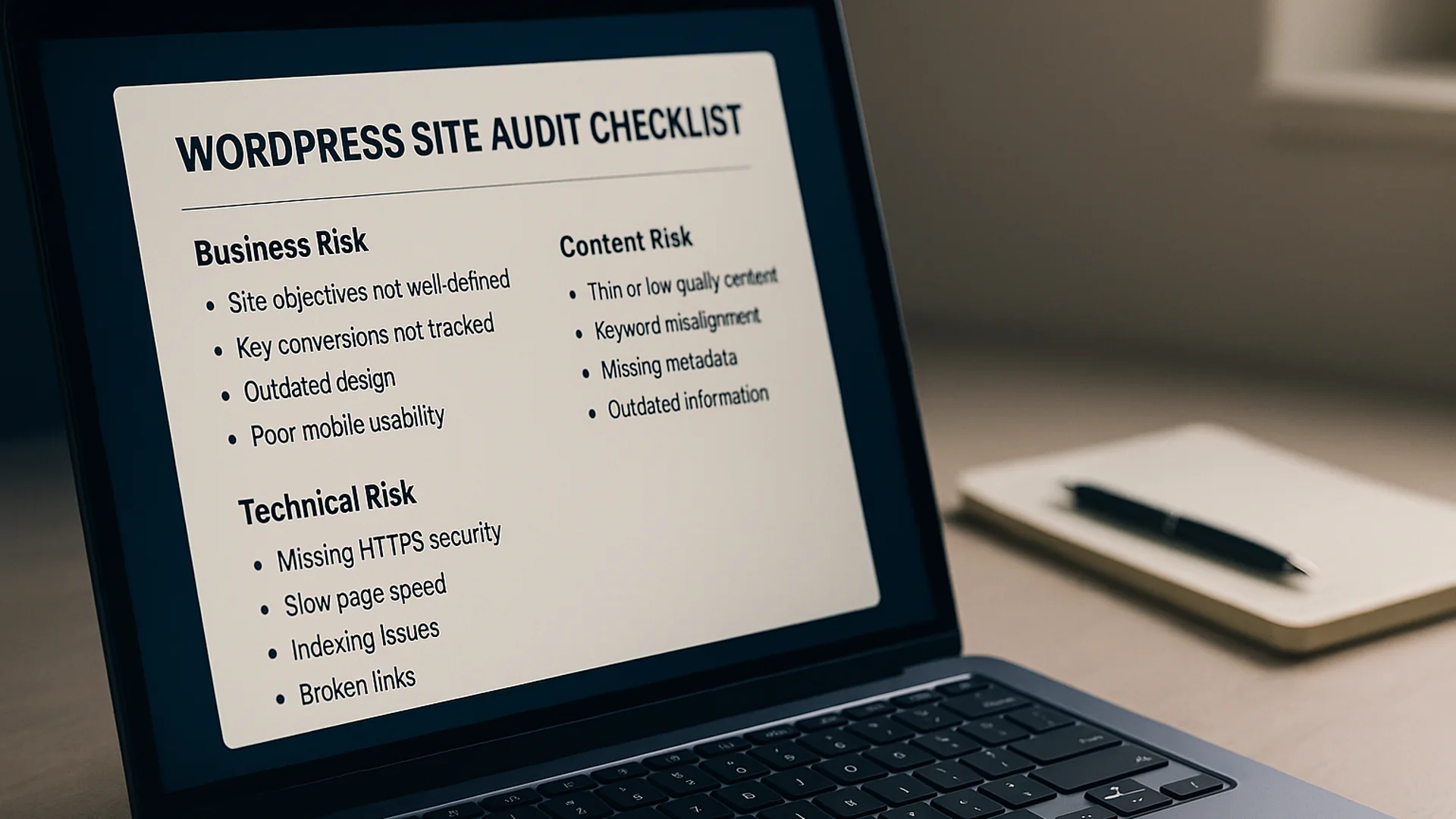
A WordPress site audit done well takes about a day and surfaces three to five issues that are quietly costing you leads. Done badly, it produces a 40-page PDF that nobody reads and changes nothing about the site. One of those audits is a service. The other is a document. The difference is what gets measured first.
Key takeaways
- A real audit measures user-facing impact first and technical surface second.
- Twelve specific checks cover about 90% of what affects rankings and conversion on a typical service-business WordPress site.
- The priority framework is “highest revenue impact for lowest effort,” and cosmetic findings wait their turn.
- Most audits surface the same three problems: plugin overhead, image pipeline, and a service page with no clear ask.
- A 15-minute self-audit catches more than half of what most paid audits surface.
Quick answer
A WordPress site audit should answer four questions in plain language: where the site is losing leads, search visibility and speed, and where technical risk is piling up that hasn’t bitten yet. Findings that don’t ladder back to one of those four are curiosities rather than work.
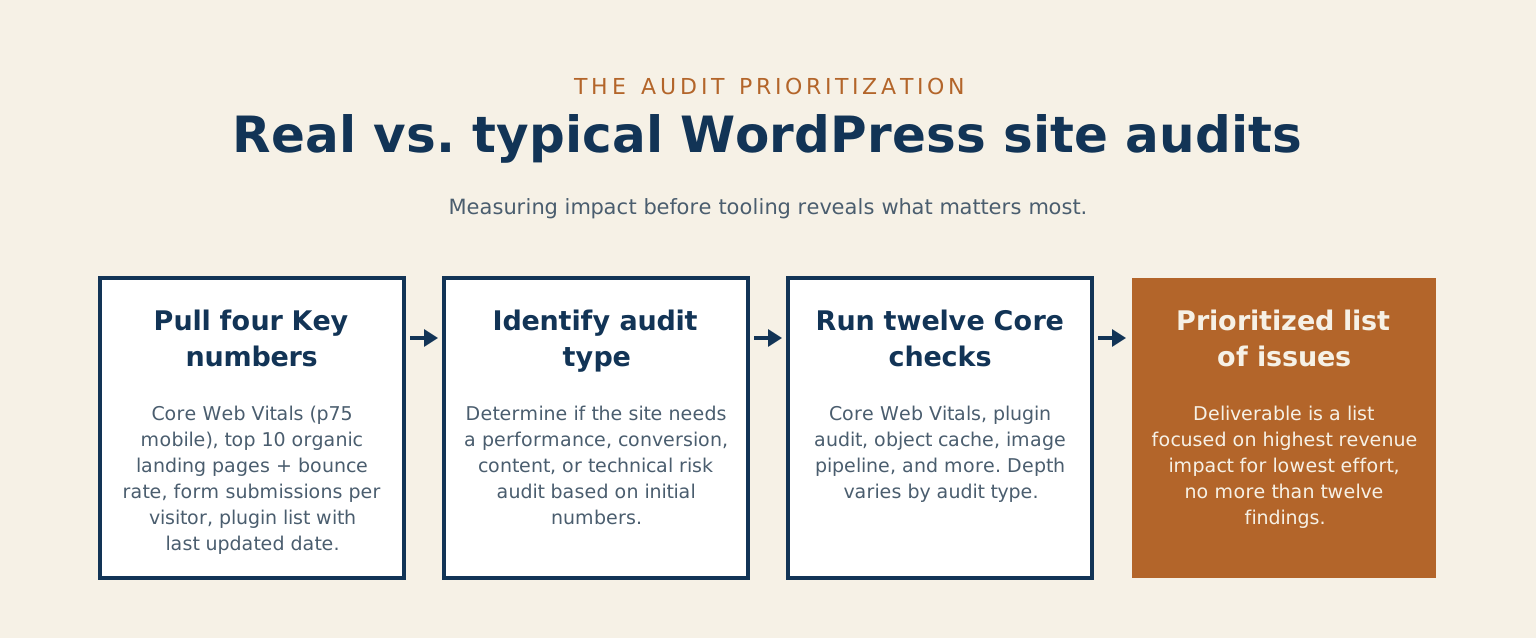
The deliverable is a prioritized list. The reason is practical: forty findings on a page produces inertia, and twelve produces a week of work that gets shipped.
What a real audit measures first
Most audits go wrong because the auditor opens the toolbox before opening the analytics. The toolbox finds things. The analytics decides which of those things matter. Start by pulling four numbers, and they will tell you what kind of audit this is going to be before a single finding gets written down.
Field data and landing pages
Core Web Vitals at p75, the 75th-percentile experience, comes first, from Search Console, filtered to mobile and segmented by URL group. p75 is the right reference because it captures what your typical bad visit looks like rather than your average visit. Google’s own Core Web Vitals guidance names the 75th percentile of page loads, split by mobile and desktop, as the threshold to measure. The three metrics, Largest Contentful Paint (LCP), Interaction to Next Paint (INP), and Cumulative Layout Shift (CLS), sit in Search Console waiting to be read, and most teams have not opened the report since the day the property was added. Pair that with the top ten organic landing pages over the last 90 days with bounce rate, pulled from Google Analytics 4 (GA4) or whichever analytics platform the site uses. Pages that draw traffic but do not convert are where the audit work happens.
Conversion and plugins
Add form submissions per visitor on the top two or three conversion pages. If you only have time to track one number while running the audit, this is the one. The plugin list rounds out the four, with the last-updated date for each entry. A plugin that has not been touched in twelve months is either abandoned or maintained by someone who has lost interest, and you find out which after the next WordPress release breaks something.
Those four numbers tell you whether you’re walking into a performance audit, a conversion audit, a content audit, or a technical-risk audit. Most “this site needs an audit” conversations turn out to be about one of the four. The audit that follows is shorter and better when you know which one you’re doing before you start.
The 12 checks I run on every audit
Those four numbers told you what kind of audit this is. The twelve checks below are what you run, in roughly this order. That list is the same regardless of which audit type you landed on. What changes is how much depth you give each item.
Speed, plugins and conversion
- Core Web Vitals at p75 mobile. Pull from Search Console, last 28 days, segmented by URL group.
- Plugin audit: count, last-updated date, and anything contributing more than 50 milliseconds to render time.
- Object cache present and serving. Redis or Memcached connected and actively storing data.
- Image pipeline. WebP or AVIF served where supported, properly sized variants, the LCP image preloaded rather than lazy-loaded, lazy-loading applied correctly below the fold.
- Service-page calls-to-action (CTAs). Primary CTA above the fold, alternative path visible, both linking to working forms with timezone-correct calendars.
- Internal-link gravity. Top conversion pages should have at least three inbound internal links from related posts, with anchor diversity rather than all exact-match.
Markup, mobile and recovery
- Schema validity. Organization, Service, BreadcrumbList, and Article markup all firing without warnings in the Rich Results Test.
- Sitemap and robots. Sitemap submitted, last-modified timestamps current, robots.txt not accidentally blocking the conversion paths.
- Canonical tags and redirect chains. Every page has one canonical, redirect chains no longer than a single hop.
- Mobile usability. Tap targets at the minimum size, viewport meta correct, reading width comfortable, no hover-only interactions that fail on touch.
- Form delivery. Submit to a test address, confirm receipt, check spam-folder routing, verify the autoresponder fires.
- Backup and recovery. Last successful backup confirmed, off-site copy verified, restore-tested in the last 90 days.
That’s the list. Anything past it is either deeper work on one of those twelve, or it’s curiosity work that doesn’t connect back to revenue.
How to prioritize fixes without wasting a month
Findings without prioritization pile up and don’t get fixed. The framework that turns a list of findings into a week of actual work:
The twelve checks on one grid
 Two-by-two matrix plotting the twelve WordPress audit checks against revenue impact (vertical) and fix effort (horizontal). The upper-left “Do first” quadrant holds the highest-lift-for-lowest-work checks: form delivery, service-page CTAs, and sitemap and robots. The upper-right “Schedule” quadrant holds Core Web Vitals, image pipeline, plugin audit, internal-link gravity, and mobile usability. The lower-left “Quick wins” quadrant holds schema validity, canonicals and redirect chains, object cache, and backup and recovery. The lower-right “Skip or defer” quadrant is empty. None of the twelve checks sit there.
Highest revenue impact for lowest effort goes first, always. A broken contact form on a top conversion page is a one-hour fix worth thousands of dollars; a schema warning on a low-traffic page is a one-hour fix worth almost nothing in measurable terms. Group the work by template, because a CTA problem fixed once at the service-page template level beats fixing it page by page. Then ship one fix per week and measure, a cadence that keeps the work honest: when a fix does not move a number, the next question is why this fix did not work, before moving on to the next one. Cosmetic findings get deferred to a separate quarterly pass, where they can accumulate without competing with revenue work for the same hour of attention.
Highest revenue impact for lowest effort goes first, always.
A practical example from a service site
A 12-page services site, roughly 8,000 organic visitors per month, contact-form completion stuck around 1.2%. The audit findings, in priority order:
The biggest finding was p75 LCP at 4.1 seconds on mobile: the hero image was loaded with loading="lazy" and was not preloaded. Removing the lazy attribute and adding a preload link tag dropped p75 LCP to 1.8 seconds within a week. Next came the plugin audit, where three plugins were running on every page but were only needed on /contact/ and /book-a-call/; scoping them to those two routes cut average page weight by 180 kilobytes. After that, six of the eight service pages required a scroll before the first “book a call” button appeared, so the CTA moved into the hero block at the template level, and form completion rose to 2.6% within 30 days. And the object cache was connected but empty. A misconfigured persistent cache meant WordPress was hitting the database for every option lookup; the fix took 20 minutes, and Time to First Byte (TTFB) on uncached requests dropped by 280 milliseconds.
| Priority | Finding | Fix | Result |
|---|---|---|---|
| 1 | p75 LCP at 4.1 seconds on mobile: the hero image was loaded with loading=”lazy” and was not preloaded | Removed the lazy attribute and added a preload link tag | p75 LCP dropped to 1.8 seconds within a week |
| 2 | Plugin audit: three plugins ran on every page but were only needed on /contact/ and /book-a-call/ | Scoped them to those two routes | Average page weight cut by 180 kilobytes |
| 3 | Six of the eight service pages required a scroll before the first “book a call” button appeared | Moved the CTA into the hero block at the template level | Form completion rose to 2.6% within 30 days |
| 4 | The object cache was connected but empty, so WordPress hit the database for every option lookup | Fixed the persistent cache misconfiguration (20 minutes) | Time to First Byte on uncached requests dropped by 280 milliseconds |
What the ranking was worth
The first three fixes alone moved the form-completion rate from 1.2% to 2.6%. On 8,000 visitors a month, that works out to roughly 112 additional inquiries a month, well over a thousand a year. All four findings were ordinary. What made the difference was ranking them, which is the part most audits skip.
One of those audits is a service. The other is a document.
Common audit mistakes that slow growth
The mistake to avoid first is auditing the homepage instead of the service pages. The homepage gets the traffic and the service pages do the converting, so an audit that only looks at the homepage misses what pays the bills. Close behind it is optimizing for Lighthouse instead of for users: a site can score perfectly in Lighthouse and still be slow in field measurements, because Lighthouse is a synthetic test running on a fast machine and your visitors are on whatever device they happen to have. The Core Web Vitals field data in Search Console reflects what your visitors actually experience.
Two quieter mistakes cost more over time. Treating the audit as a one-time event ignores that plugins update, content drifts, and performance regresses; a quarterly cadence catches the drift before it shows up in the rankings. And skipping the backup-and-recovery check leaves the biggest risk untested. Every audit should include a restore test of the most recent backup, which is what the UK’s National Cyber Security Centre asks of backups too, because a backup that has never been restored is a backup you have not yet proven you have.
A 15-minute quick win you can do today
Open Chrome DevTools, set network throttling to “Slow 4G” in the Network tab and CPU throttling to a 4× slowdown in the Performance panel. Hard-reload your top-converting service page. Note the three slowest items by transfer size, and the three slowest by load time. Repeat the exercise on one other template, such as your blog index, contact page or homepage.
If the slowest items are the same across both templates, the problem is sitewide, so look at cache, theme and font loading first. If they’re different, the problem is template-specific: a plugin scoped to one template, or a unique third-party script. That short diagnosis is what tells you whether the next round of work is theme-level or page-level, before you commit to either.
When to bring in someone outside
Most of the work in this post is genuinely do-it-yourself. Run the 15-minute DevTools check, pull the four anchor numbers, work through the 12-check list, and you’ve done what a typical paid audit does. Specialists are worth bringing in for narrower reasons than the marketing suggests:
The usual reason is that you have done the obvious passes and the numbers have not moved. At that point the cause can be a server-level or persistent-cache misconfiguration, which needs host-level access rather than another scan. Scale is another: one team owns content, another owns infrastructure, and the audit findings cut across both, so someone has to coordinate the work across those lines. And then there is decision paralysis, where two days of audit work has produced a prioritized list of thirty items and the team cannot agree on what to ship first. An outside read, the kind a structured site audit is built around, forces a four-item version of the same list.
When I run an audit for a client, the tools I use are all free and on this page. What clients are paying for is the practice of ranking findings against revenue impact, learned across enough sites to know which findings on the long list are the ones worth shipping this quarter.
Which of those four numbers have you not pulled yet for your own site?
Common questions about WordPress site audits
How long should a WordPress site audit take? Done well, about a day, and it surfaces three to five issues that are quietly costing you leads. Measure it by what ships: a prioritized list of twelve findings gets more work done than a forty-page report nobody reads.
Can I run this audit myself? Most of it, yes. Run the 15-minute DevTools check, pull the four anchor numbers, and work through the 12-check list, and you have done what a typical paid audit does. A structured site audit is worth bringing in when the obvious passes have not moved the numbers, the findings cut across teams, or the list is too long to agree on what to ship first.
How often should I audit? Once is a start. Plugins update and content drifts, so a quarterly cadence catches the drift before it shows up in the rankings. If you would rather not track that yourself, ongoing site maintenance is one way to keep the checks on a schedule, and you can always get in touch to talk through where your site is losing leads.
References
- Web Vitals, web.dev, Google
- Optimize Largest Contentful Paint, web.dev, Google
- Learn about sitemaps, Google Search Central
- Introduction to robots.txt, Google Search Central
- What is URL canonicalization, Google Search Central
- Understanding Success Criterion 2.5.8: Target Size (Minimum), W3C
- WordPress backups, WordPress Advanced Administration Handbook
- Offline backups in an online world, National Cyber Security Centre (UK)
Checked against Google’s Core Web Vitals and LCP guidance, Search Central’s sitemap, robots.txt and canonical pages, the WCAG 2.2 target-size criterion, the WordPress backup handbook and the NCSC backup post, on 2026-10-11.