Caching
Caching speeds up a site by storing a ready-made copy of something and reusing it, instead of rebuilding it from scratch on every request. It happens in several layers at once: the visitor’s browser, your server, and the CDN in front of it. Most caching problems come from those layers disagreeing about what the current version is. When it works, caching is invisible and the site just feels fast; when it’s misconfigured, people see stale or inconsistent pages.
How I use this
Nearly every "the site shows the old version" complaint I get traced back to two caching layers disagreeing about what's current, not to a broken page. So when caching misbehaves, I check the layers in order (browser, then host, then CDN) rather than clearing everything at once and hoping.
Also known as: web caching, cache layer, caching strategy, cached content
Where this term comes up
-
The 30-Minute Audit
Anyone sitting on a procurement decision about enterprise WordPress hosting. Thirty minutes, on a staging environment, before signing anything.
-
Postmedia WordPress VIP migration: eleven papers, one parent theme
In 2011 to 2012, when Postmedia moved its network of major Canadian daily newspapers onto WordPress, I was part of the team that built the platform, starting with the National Post as the flagship, then cascading to papers including the Calgary Herald, Montreal Gazette, Ottawa Citizen, Vancouver Sun, and seven more. This is the architecture…

-
WP Title Case · Auto-Format Titles, Headers, and Feeds to Title Case
Auto-formats titles, headers, category names, and feeds to title case across the site: automatic, no configuration required.
-
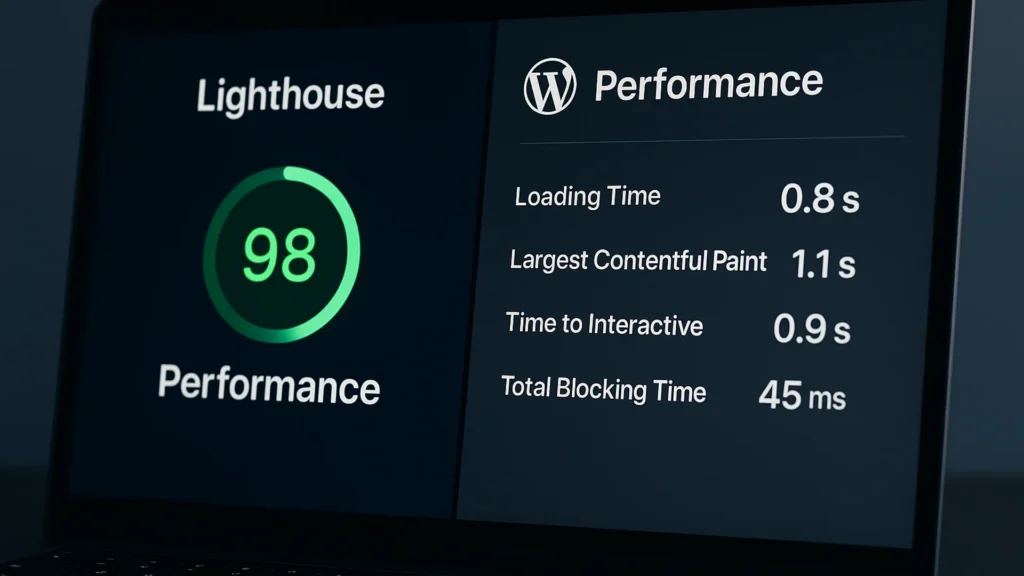
Lighthouse scores vs real WordPress performance: what actually matters
Lighthouse scores measure what a 30-second synthetic test sees. Real WordPress performance is the user, page, and template view. Here is how to audit it.
-
WordPress Nofollow Plugin · Auto Add nofollow, target=_blank, noopener
Free WordPress plugin that automatically adds nofollow, target=_blank, and noopener to every external link. Lightweight, no settings page, GPL-licensed.
-
WordPress for Newspapers: Toronto 2012
WordCamp Toronto 2012: building a newspaper site with WordPress and the common pitfalls. Recording on WordPress.tv, slides on SpeakerDeck.
-
Human Resource Information System Canada (HRIS-SIRH): federal HR platform rebuild, 2004
Federal bilingual HR policy hub on Rodonic Advantage, the Classic ASP + SQL Server multi-tenant CMS my then-partner David McGregor and I built at Rodonic Corporation. Used a publish-to-static-HTML pattern that wouldn’t have a standard name (static site generation) for another decade.

Glossary entries are a starting point. The real question is usually what to do about the thing once you understand it.
When you are ready to go further, the related guides take this from definition to fix.
And if you would rather just ask a person, I read everything that comes to christopher@thisismyurl.com.
I have been working in WordPress since 2007, so most of these terms come with a story.
Still mapping the basics? The full glossary is here whenever you need it.