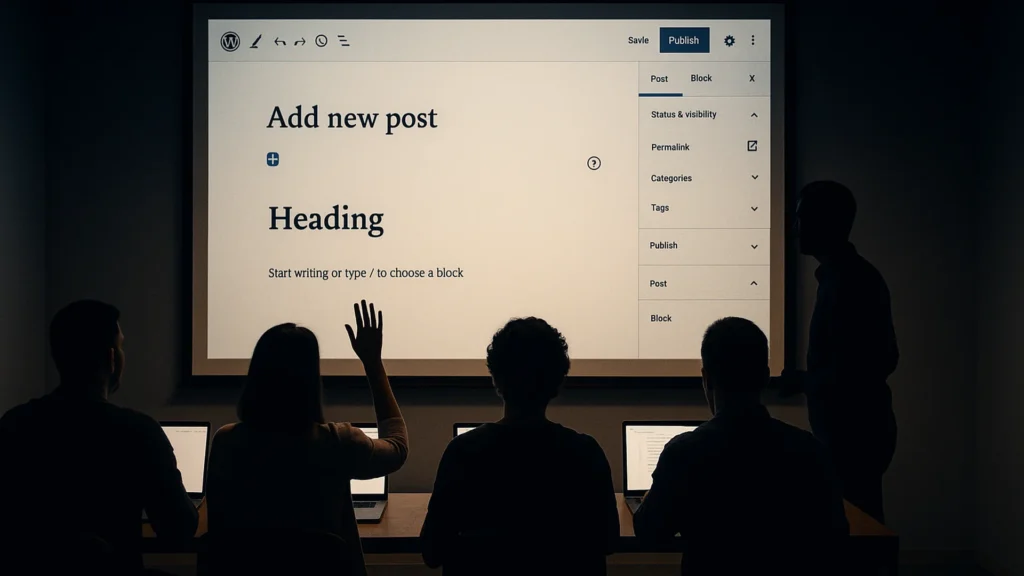
Team WordPress training delivered by an MA Candidate in Learning & Technology. Up to 10 attendees on private delivery. Onsite or remote. Curriculum tailored to the actual site your team is using, not a generic “Intro to WordPress” deck pulled from a template.
Curriculum developer and instructor at the M.L. Campbell Training Centre, Sherwin-Williams’ international training facility · has taught WordPress at Sheridan College and York University · MA candidate in Learning and Technology, Royal Roads University · Fort Erie, Ontario
Book a 20-minute discovery call See training formats and pricing
The problem you are solving
Your organization owns a WordPress site and the people who are supposed to update it are afraid of it. Whoever was given access to the homepage breaks the layout every time they touch a hero block. The new comms hire was told “the previous person did this” and there is no documentation. Your team is paying agency rates for the kind of edit a trained internal person could ship in fifteen minutes.
Most WordPress training programs are written for “people who have never used WordPress” and bore the room. Useful WordPress training starts with the site your team is actually editing, the patterns your team is actually breaking, and the tasks your team will be doing on Monday morning.
What you get
- A curriculum-tailored session. I look at your site before the session, talk to whoever owns it, and build the agenda around your team’s actual workflow. Not a generic deck.
- Up to 10 attendees on private delivery. Beyond 10, the room dynamic changes and small-group workshop work becomes harder; for larger cohorts the right shape is two sessions.
- Multiple format options. Private team delivery (full-day), public-cohort virtual seats (full-day, half-day, or two half-days), in-person Niagara workshops (full-day or two-day). The format follows the team shape.
- A recording of the session. For colleagues who could not attend and for the next person you hire.
- A take-home reference document. Not slides, an actual reference your team can search later. Bookmarks, screenshots, keyboard shortcuts, the “if you only remember three things” page.
- A 30-day question window. After the session, your team can email follow-up questions. I answer in writing within two business days, included in the engagement.
What this is not
- Not ongoing coaching. After the 30-day question window, ongoing support is a separate retainer.
- Not LMS course production. I am not handing you a 40-module asynchronous training program. The session is live, taught, and recorded, that is the deliverable.
- Not a developer bootcamp. The training is for the people who use WordPress to do their job, not the people who will be writing PHP. Developer-focused training is a different engagement (see WP 401 in the training catalogue).
- Not “we’ll just train them on Yoast for an hour.” That is a webinar, not a training engagement. There are people who do that well, and I would rather point you at them than pretend it is my strength.
Who this is for
- Fit. Marketing, communications, and content teams who own a WordPress site they did not build and want to stop being afraid of it.
- Fit. Newly-hired site owners inheriting a WordPress property with no documentation and no exit interview from the previous person.
- Fit. Organizations whose agency invoices are dominated by line items that an internal person could handle with two days of real training.
- Fit. HR and L&D leads sourcing live training for cross-functional teams.
- Not fit. One-person teams. Group training pricing does not make sense for a solo learner; for that, the right shape is a paid coaching engagement, not a workshop.
- Not fit. Teams that want training without giving the trainer access to the site beforehand. Tailoring is the value; without it, you are paying senior rates for a generic deck.
How it works
- Discovery call (20 min, free). Tell me about your team, your site, and what success looks like 30 days after the session.
- Pre-session prep (included in private delivery). I get read-only access to your site, talk to whoever owns it, and build the curriculum around your actual workflow. About a week before the session.
- The session. Onsite (Niagara region or short travel) or remote. Full-day or half-day. Live, interactive, with hands-on exercises in your real (or staging) environment.
- Follow-up. Recording, take-home reference, and 30 days of email Q&A.
Why work with me on this specifically
- MA Candidate in Learning and Technology, Royal Roads University. The training is designed using actual instructional design, not improvised from a deck.
- 22 years building and delivering training programs, including current work as Training and Development Specialist at Sherwin-Williams supporting the M.L. Campbell professional finishing brand.
- Prior training and instructional-design work for Canadian government and political organizations, including Privy Council Office training contracts.
- 19 years on WordPress. The trainer is also a senior practitioner, your team gets answers to questions your previous trainer could not field.
- Speaker at WordCamp Toronto and other professional events. The room is comfortable for me; it shows.
This is absolute gem of a presentation by Chris Ross which proves yet again that you can still earn a decent wage by providing VALUE to people for free. Awesome job Mr. Ross.
Lorne Fade, 9thsphere.com, on a WordCamp Toronto talk, March 2012.
The testimonial above is from a public speaking engagement. The first private corporate-training engagement case study will publish here with the buyer’s permission once a current client is comfortable being named.
Common questions
How many people should be in a session?
Eight to twelve for hands-on work. Fewer than eight and a one-to-one session serves you better for less. More than sixteen and people stop asking questions, which is where most of the value is, so at that size I would rather run two sessions.
Onsite or remote?
Both work, and onsite is better for a first session. Being in the room means I can see the moment someone gets lost, which almost nobody volunteers over video. Remote is the sensible choice for follow-ups, for teams spread across sites, and for anything where travel would cost more than it adds.
Our team has very mixed skill levels. Is that a problem?
It is the normal case, and it is manageable if we plan for it rather than discover it. I ask beforehand who does what, and build the session so the confident people get something to do while the nervous ones catch up. What does not work is pitching to the middle, because that loses both ends of the room at once.
When you are ready
If your team owns a WordPress site they are afraid to touch, the right session pays for itself in the first month of avoided agency invoices.
Book a 20-minute discovery call See training formats and pricing
Tell me about your project
The fastest way to a straight answer. Tell me what you need and I will reply within a business day, honestly, even when the answer is that I am not the right fit.
Prefer to talk? Call 647-641-0643
Share your project details
Use this form for project scope, technical SEO support, onsite training requests, or a focused next-step conversation.