
Most organizations using Moodle for learning management end up in the same place. Their Moodle instance lives at learn.yourorganization.com, or tucked into a subdirectory. Their WordPress site is the public face at the main domain. And visitors have to mentally switch gears every time they cross from one to the other. Logged into one but not the other. Branding that is similar but not quite right. Navigation that changes without warning. It feels like two websites that happen to share a logo.
That friction is not inevitable. But eliminating it takes more than installing a plugin and calling it done.
What people actually mean when they say “integration”
The phrase “Moodle WordPress integration” gets used to describe several very different things, and which one you need depends entirely on the problem you are trying to solve. Before anyone touches a configuration screen, it helps to know which category you are actually in.
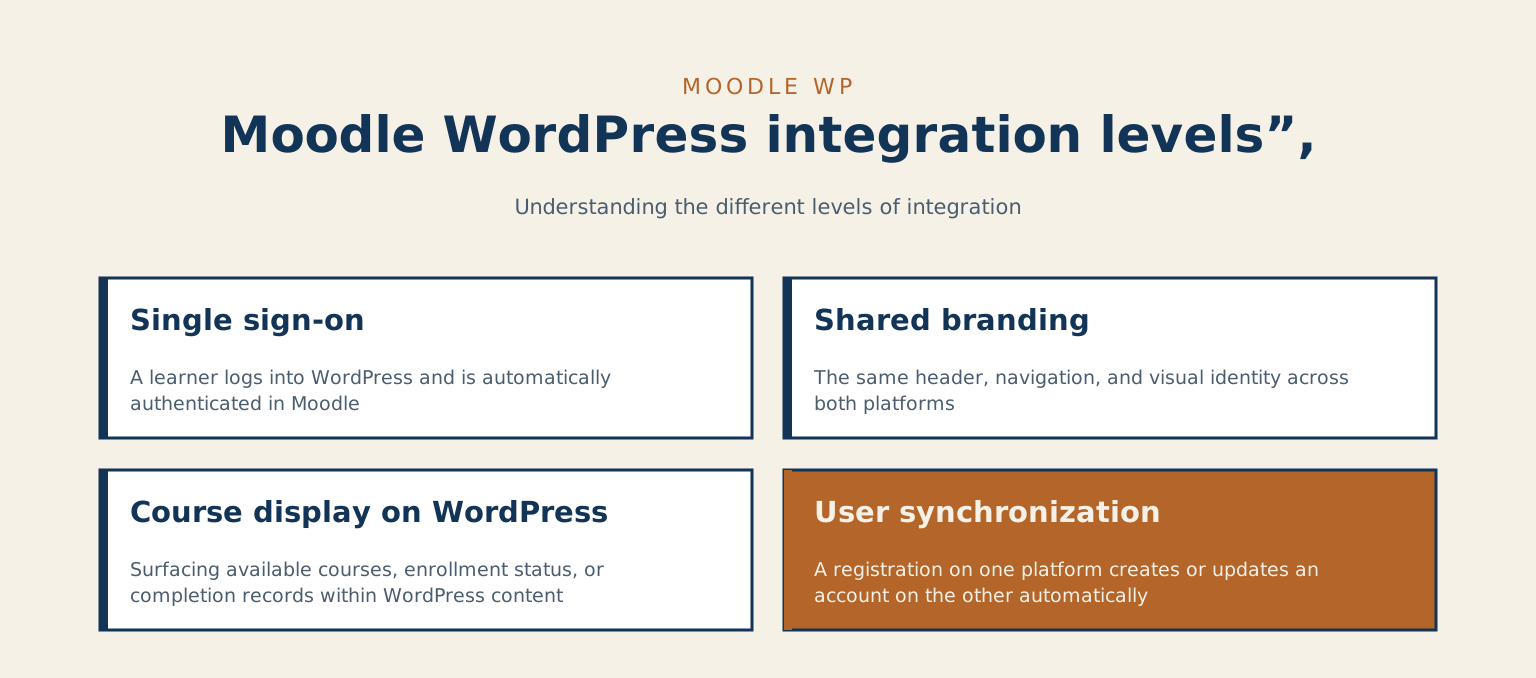
- Single sign-on (SSO): A learner logs into WordPress and is automatically authenticated in Moodle, with no second login prompt. One set of credentials, both platforms.
- Shared branding: The same header, navigation, and visual identity across both platforms. Users feel like they are in one place, not bouncing between two different products.
- Course display on WordPress: Surfacing available courses, enrollment status, or completion records within your WordPress content. The public-facing site becomes the front door to the LMS.
- User synchronization: A registration on one platform creates or updates an account on the other automatically. No manual exports, no duplicate accounts to manage.
These are separate problems with separate solutions. Treating all four as a single “integration project” is where scope surprises come from. A clear-eyed list of which ones you actually need, ranked by priority, is the most useful thing you can bring to the planning stage. It shapes the tooling, the timeline, and the realistic budget. Without it, every estimate is a guess.
Where plugins help and where they stop
There are WordPress plugins built to bridge parts of this gap. WPFusion can synchronize WordPress user data with Moodle enrollment records. Some Moodle plugins expose REST API endpoints that a WordPress site can query to pull course data. BuddyBoss, built on BuddyPress, has Moodle integration options for organizations that want a social learning layer on the WordPress side. For SSO, the most common routes are OAuth 2.0 or SAML, and there are plugins on both sides that handle standard configurations reasonably well.
These tools work well when your setup matches what they were designed for. A standard Moodle installation, a clean WordPress site, requirements that map neatly to the plugin’s feature set: in that scenario, a careful site administrator can get meaningful integration working without bringing in a developer. The documentation is reasonable, the community forums have answers to the common problems, and the default configuration paths are well-worn.
The complications arrive when your situation does not match the plugin’s assumptions. Custom user roles that do not translate cleanly between platforms. Multi-site WordPress networks. Moodle instances with non-standard authentication already in place. SSO that needs to run through an existing identity provider like Azure Active Directory. Content that has to be gated differently for overlapping learner cohorts. In these scenarios, packaged plugins stop handling things gracefully, and the configuration problems compound on each other. You fix one thing and reveal two more.
Think of it the way you would think about household plumbing. The standard fittings work fine if the house was built to standard specs. Once the walls have been opened and closed by different people over the years, or you need a run the original layout never accounted for, you need someone who can read what is already there before deciding what to add. Dropping in an off-the-shelf connector and hoping it holds is how you end up with a slow leak behind the drywall.
Where I fit in this
My work sits on the WordPress side of this integration, and that is worth naming clearly. Moodle and WordPress attract different specialists, and the project tends to go sideways when neither side is engaging seriously with the other platform. A Moodle specialist who treats WordPress as a simple content layer, or a WordPress developer who treats Moodle as a black box, both create the same kind of mess: a seam in the user experience that nobody owns.
When an organization wants these two platforms to feel like one experience, the WordPress site is usually doing most of the visible work: the public-facing course catalog, enrollment calls to action, the learner portal if there is one, and the logged-in experience that bridges across into Moodle. Getting that right is a WordPress engineering problem. It involves custom theme development, consuming REST API data from Moodle and rendering it correctly, handling conditional content based on user roles, and keeping performance reasonable under the additional load that authenticated sessions create. These are not difficult problems in isolation. They get difficult when they stack on top of each other with a deadline attached.
The pattern I have seen on projects like this: the Moodle installation is managed by an internal IT team or a Moodle-specialist partner. The WordPress side gets handed to whoever built the marketing site, or attempted by the same person managing Moodle because they know web stuff. The result is a public face that does not hold up under the integration requirements, and a lot of debugging time spent on the wrong side of the boundary. By the time someone decides the WordPress side needs proper engineering attention, there is often inherited configuration to untangle as well.
If you are evaluating whether a project like this is scoped correctly, or you are already mid-project and the WordPress side is not doing what you need, I am worth a conversation. I work with education, media, and government clients on WordPress engineering across Ontario, with project-based consulting available across Canada. The conversation usually starts with a look at what you are trying to accomplish and an honest read on what it would take to get there.
Before that conversation, or before any configuration work at all, the most useful thing you can do is write down which of those four integration layers you actually need, in order of priority. SSO, shared branding, course display, user sync: the answer to that question changes the scope, the tooling, the realistic timeline, and who needs to be in the room. Getting it straight at the start is the part that saves the most correction later.
Tell me about your project
The fastest way to a straight answer. Tell me what you need and I will reply within a business day, honestly, even when the answer is that I am not the right fit.
Prefer to talk? Call 647-641-0643
Share your project details
Use this form for project scope, technical SEO support, onsite training requests, or a focused next-step conversation.