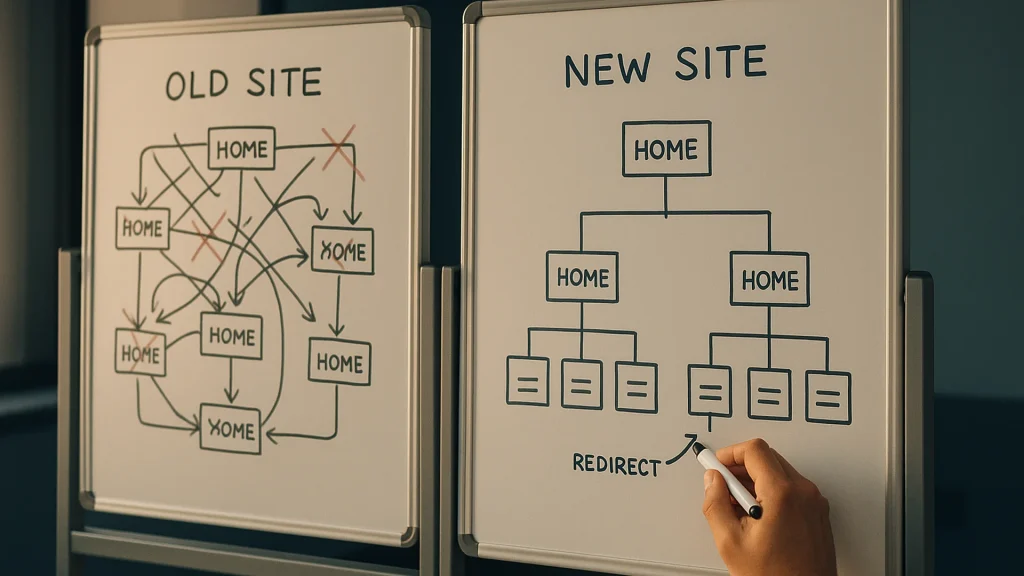
WordPress migrations that don’t lose traffic, links, or rankings, scoped from a paid 60-minute migration plan. If you are moving WordPress between hosts, replatforming off Drupal, Wix, Squarespace, or static HTML onto WordPress, or restructuring URLs on a site that already ranks, the cost of doing it badly is months of recovery. The cost of doing it well is a real plan, written down, with the redirect map already built before anyone touches DNS.
WordPress since 2007 · custom post types, REST endpoints, Gutenberg blocks, WP-CLI, and site-specific plugin architecture · 20+ plugins published on WordPress.org · Fort Erie, Ontario
Book a 20-minute discovery call Ask a question first
The problem you’re sitting in
Migrations are where WordPress projects most often go publicly wrong. The site moves, traffic drops 40 percent, the redirect map missed a thousand legacy URLs, the email forms break for two days, and the executive sponsor who approved the budget is now in a meeting asking why.
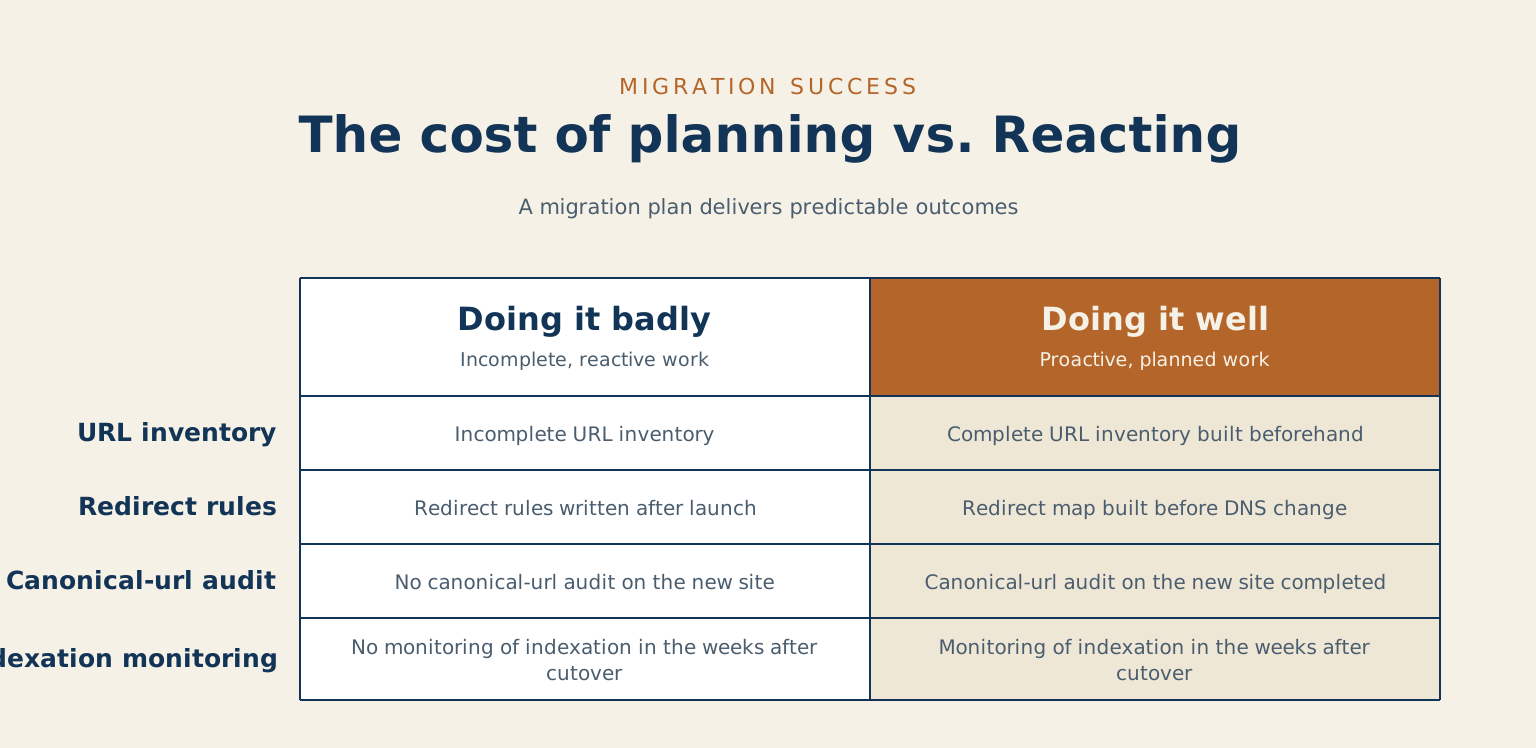
The work is not hard if you have done it before. It is brutal if you have not. The failure modes are the same every time: incomplete URL inventory, redirect rules written after launch instead of before, no canonical-URL audit on the new site, and no monitoring of indexation in the weeks after cutover.
What I do
- Host-to-host WordPress migrations. Off shared hosting onto a real platform, between managed hosts, or onto your own infrastructure. With staged cutover and DNS plan.
- Platform-to-WordPress migrations. Drupal, Joomla, Wix, Squarespace, Webflow, Ghost, static HTML, custom CMS exports. Content modeling, taxonomy mapping, redirect maps, media migration.
- Multisite consolidations. Pulling separate WordPress installs into a multisite network, or splitting a multisite back into independent installs. Both directions, both with their own pitfalls.
- Domain and URL restructures. Domain changes, subdomain-to-subdirectory moves, taxonomy slug changes, permalink-structure changes on sites that already rank. Each of these has a redirect-map shape that is non-negotiable; the question is whether you build it before launch or after.
How an engagement starts
Most migration engagements start with a paid 60-minute Migration Plan call. You bring the source environment details, the destination, the constraints, and the deadline. I bring the question list and a written plan that lands in your inbox the same day: scope, risks, redirect-map approach, cutover timing, monitoring window, and a fixed-fee quote for the migration itself.
If the plan call surfaces that the migration is simpler than you thought and you can run it in-house, I will tell you that on the call. The plan is the deliverable; the build is a separate decision.
What’s included, and what I sequence separately
- Your content moves as it is. Rewriting it is its own project. If you want an overhaul, it goes better before or after, and I’ll tell you which order suits your situation.
- Redesign runs as its own project. Migrating and redesigning at once is two jobs sharing one budget and one deadline. I’ll usually recommend sequencing them, and I’ll show you what that does to your timeline.
- Hosting stays in your name. I don’t resell it. I’ll recommend hosts I trust and help you set the relationship up directly, so the bill and the control stay with you.
- The timeline is real. Most migrations want a few weeks of planning before anything moves. Emergency cutovers are possible and I’ve done them; they’re priced for the risk they carry.
Where this fits best
- Sites with real organic traffic, where losing it would show up in the business.
- Teams replatforming onto WordPress from a CMS they’ve outgrown, or moving off hosting that has stopped fitting.
- Organizations consolidating several sites into one, or separating one site into properties that each deserve their own footing.
- Brand-new sites are a different job. There’s no traffic to protect yet, so this much planning is more than you need. Ask me about a build instead.
About the migration plugins
There are good ones. All-in-One WP Migration, Duplicator and WP Migrate all move a WordPress site competently. If you’re going like-for-like, meaning the same content structure, the same URLs and a modest number of pages, one of them will do the job and save you my fee. I’d rather tell you that than sell you something you don’t need.
The work I do starts where they stop: URL structures that changed, a content model that doesn’t map cleanly onto the new one, redirect maps that run to thousands of rows, and search traffic you can’t afford to drop while it all happens.
Why work with me on this specifically
- Prior portfolio work for one of Canada’s largest news networks during the 2011–2012 platform migration. Eleven newspaper mastheads, real legacy URL inventories, real redirect maps, real consequences for getting it wrong.
- WordPress development since 2007. Migrations have been part of the work the entire time, on every scale from one-person blogs to multisite networks.
- SEO discipline integrated into the migration plan, not bolted on after launch. Redirect-map shape, canonical-URL audit, and indexation monitoring are part of the engagement, not separate consulting.
- Independent client work, off the day-job hours at Sherwin-Williams.
Common questions
Will we lose our search rankings?
Not if the redirects are planned before anything moves, which is the whole job. Ranking loss in a migration is almost never caused by the move itself. It is caused by old URLs that quietly stop resolving, so the signal a page spent years earning lands on a 404. I map every URL first and verify them after, including the ones nobody remembered.
How much downtime should we expect?
Usually none that a visitor notices. The new site is built and tested in place, and the switch is a DNS change made at a quiet hour with a tested way back. Where downtime is genuinely unavoidable, you will know the window before it is booked rather than after.
Can you migrate from something that is not WordPress?
Yes. Drupal, Joomla, ExpressionEngine, CivicPlus, a hand-rolled CMS, and more than one thing nobody had a name for. The platform matters less than whether the content has structure worth preserving. That is the first thing I look at, because it decides whether this is a migration or a rebuild wearing a migration’s clothes.
When you are ready
If you have a migration on the calendar and you want a senior set of eyes on the plan before the cutover, the 20-minute call is the lowest-friction way to start.
Book a 20-minute discovery call Ask a question first
Tell me about your project
The fastest way to a straight answer. Tell me what you need and I will reply within a business day, honestly, even when the answer is that I am not the right fit.
Prefer to talk? Call 647-641-0643
Share your project details
Use this form for project scope, technical SEO support, onsite training requests, or a focused next-step conversation.