The decision to move off Moodle rarely happens all at once. Usually there’s a slow accumulation: the LMS your IT department set up years ago is technically working, but nobody loves maintaining it, your learners are asking why the experience feels so different from the rest of your website, and whoever built the original installation has long since moved on. At some point the question shifts from “should we migrate?” to “what does migration actually look like?”
That’s what I want to work through here. An honest account of what the process involves, so you can make a clear-eyed decision before anything gets scoped or priced.
What you’re actually migrating
Moodle isn’t just a container for videos and PDFs. A production Moodle site holds several distinct data layers, and each one has to be accounted for before anyone touches an export button.
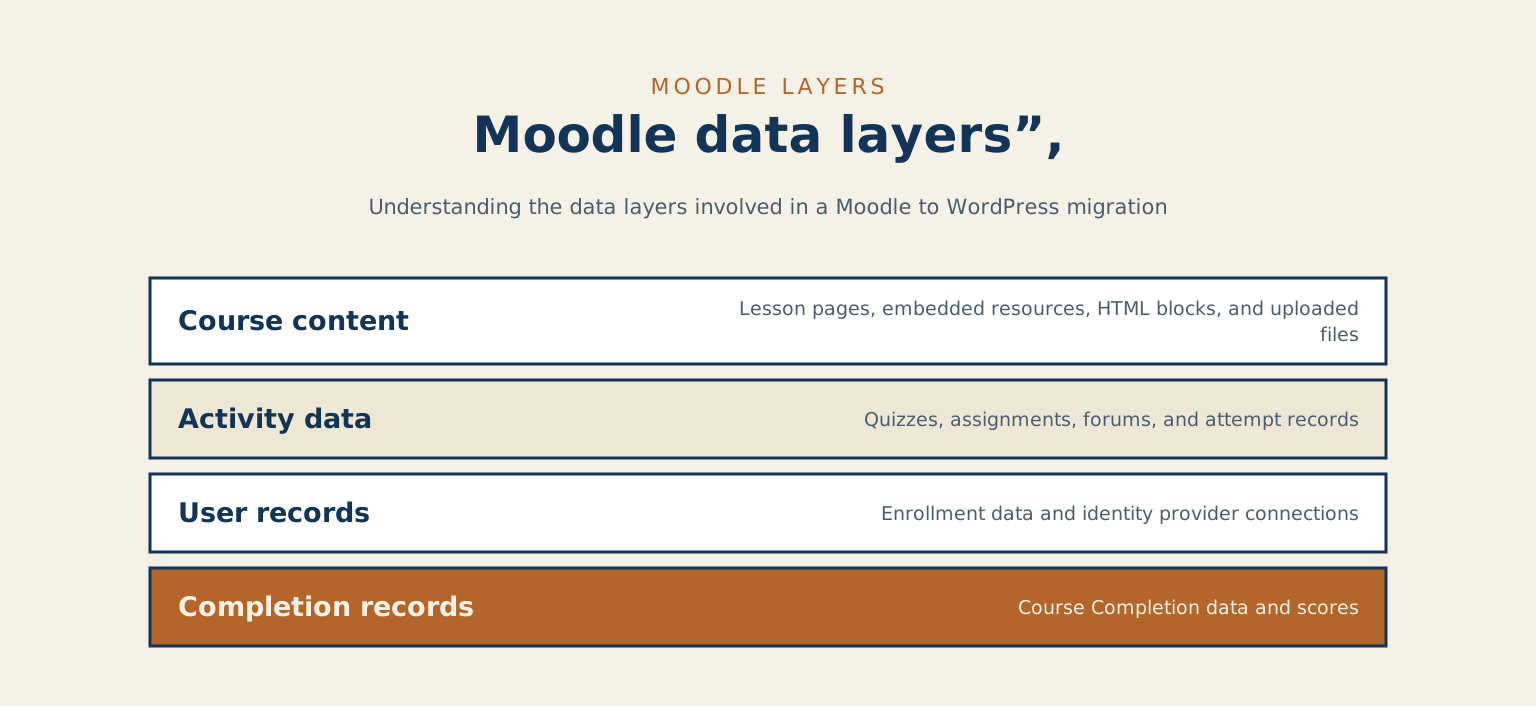
- Course content: lesson pages, embedded resources, HTML blocks, and the files your instructors have uploaded over the years
- Activity data: quizzes with their question banks and attempt records, assignment submissions, forum threads with timestamps and participant data
- User records and enrollment data: especially complex if your Moodle connects to an identity provider like LDAP or Active Directory
- Completion records: who finished what, when, and with what score
Course content is usually the cleanest to move. It’s closest to plain HTML, and while Moodle wraps it in its own markup and asset paths, it can be extracted and cleaned with enough scripting effort.
Activity data is where things get complicated. Quizzes in Moodle carry not just the questions but question banks, weighted categories, shuffle logic, and attempt records. Assignments carry submission history. Forums carry threaded conversations that have actual meaning to the participants who had them. None of this has a native equivalent in WordPress, and you’re either choosing a WordPress LMS plugin that approximates the structure or accepting that some of this data doesn’t survive the move in any useful form. That’s a real decision, and it’s worth making deliberately rather than discovering it mid-migration.
Completion records matter most to compliance-sensitive organizations. If you need to demonstrate that a learner finished a course, on what date, and with what outcome, that data can almost always be exported in a standard format and archived. But archived is the right word. It won’t live inside WordPress in a queryable way unless someone builds that bridge explicitly. For most organizations, archiving historical records and starting fresh with new completions in WordPress is the right call.
What WordPress offers as a destination
WordPress on its own is a content management system, not a learning management system. What makes it a viable destination for Moodle content depends entirely on what you layer on top of it.
LearnDash™ is the most widely used WordPress LMS plugin in higher education and corporate training. It has a course/lesson/topic hierarchy that maps reasonably well to Moodle’s course structure, a quiz engine with decent branching logic, and user progress tracking that integrates with most WordPress membership and reporting tools. LifterLMS™ is a strong alternative, particularly for organizations that want to handle payment processing and certificate delivery inside the same system. Both have active development communities and documentation that’s actually maintained.
I want to be direct about the limits, though. These plugins are good and improving, but they’re not Moodle. Moodle has spent more than twenty years building out edge cases for academic assessment: peer review workflows, outcomes alignment, competency framework tracking, full SCORM and xAPI support, gradebook logic that handles weighted categories and exceptions across thousands of learners. If your organization genuinely depends on those features, a WordPress LMS is going to feel like a step backward in those specific areas, even when it’s a step forward in everything else.
The organizations that benefit most from this migration are usually the ones for whom Moodle was always overkill. The compliance and assessment infrastructure went mostly unused. What they actually needed was a way to put learning content where learners already are: inside a website their comms team can maintain without filing an IT ticket, structured in a way that actually gets updated when things change.
What the migration process looks like in practice
There’s no clean “export from here, import to there” tool for Moodle-to-WordPress migration. This isn’t a flaw in either system, exactly. It reflects the fact that they have genuinely different content models. What exists is a set of partial paths, and the right combination depends on your specific data.
The most reliable approach is to treat the migration in phases rather than as a single event.
Audit first. Before anything moves, you need a clear picture of what you actually have: how many courses, how many active users, which activity types are genuinely in use, and which content is current. Moodle sites accumulate years of unused courses, duplicated content, and outdated files. The migration is a real opportunity to do the cleanup you’ve been deferring, but only if the audit happens before the migration begins, not after.
Extract and clean the content. Moodle’s course backup format (.mbz) can be unpacked, and the HTML content inside can be extracted. But it comes out with Moodle-specific markup and asset paths that need to be cleaned and redirected. For organizations with a few dozen courses, this is a scripting-and-QA problem. For organizations with hundreds of courses, it becomes a project management problem that needs a coordinator as much as a developer.
Handle quizzes and assessments separately. Migrating question banks directly from Moodle’s format into a different system’s question format is almost always more work than rebuilding them, and the output tends to be fragile. The practical approach: archive historical attempt data in a standard export format, and rebuild active quizzes from scratch in your chosen LMS plugin. This feels like a setback until you actually try the alternative.
Move users last. User migration is usually the smoothest part, especially if you’re using the same identity provider on both ends. Accounts can be created in bulk; enrollment records get rebuilt from the cleaned course data.
Migrating a Moodle site to WordPress is like converting a recipe collection from one format to another. The individual recipes (the learning content) are all there. But the way they’re organized, the units they use, the notes people have written in the margins: none of it translates automatically. Some recipes make it across intact. Others need their structure reworked before they fit the new context. A few don’t make it at all, and that’s often the right call.
It takes longer than people expect, and it surfaces decisions that nobody wanted to make. That’s not a sign something is wrong. It’s what honest scoping looks like.
If you’re early in this decision, the most useful thing you can do is get the audit done before you start evaluating plugins or pricing anything. The audit tells you the real scope, and it often reframes the question entirely. If you’d like to talk through what that looks like for your specific situation, I’m easy to reach.
Tell me about your project
The fastest way to a straight answer. Tell me what you need and I will reply within a business day, honestly, even when the answer is that I am not the right fit.
Prefer to talk? Call 647-641-0643
Share your project details
Use this form for project scope, technical SEO support, onsite training requests, or a focused next-step conversation.