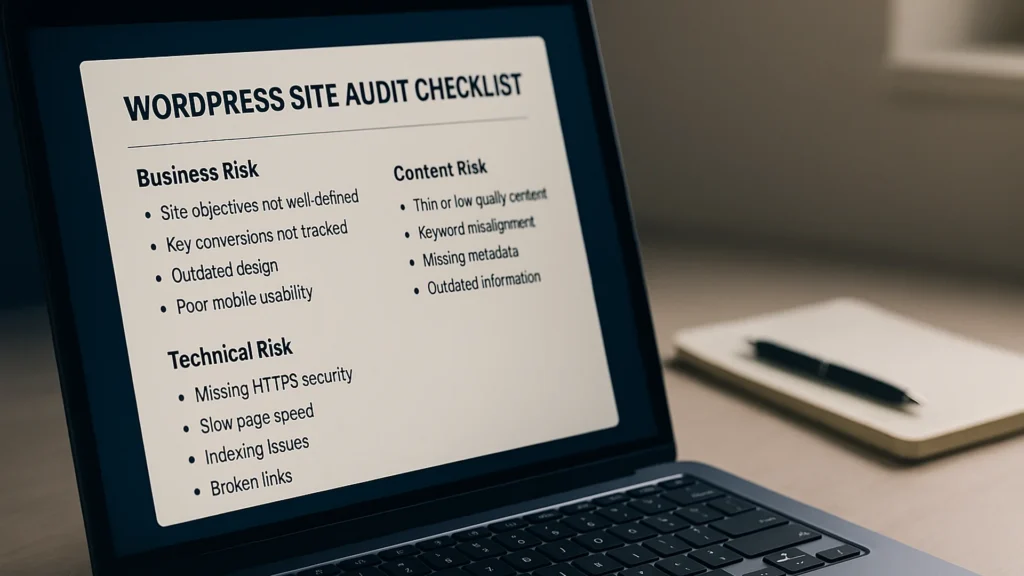
One of those audits is a service. The other is a document.
A WordPress site audit done well takes about a day and surfaces three to five issues that are quietly costing you leads. Done badly, it produces a 40-page PDF that nobody reads and changes nothing about the site. The difference comes from what gets measured first, not from how thick the deliverable ends up looking.
Quick answer
A WordPress site audit should answer four questions in plain language: where the site is losing leads, where it’s losing search visibility, where it’s losing speed, and where it’s accumulating technical risk that hasn’t bitten yet. Findings that don’t ladder back to one of those four are curiosities rather than work.
The deliverable is a prioritised list. The reason is practical: forty findings on a page produces inertia, and twelve produces a week of work that actually gets shipped.
What a real audit measures first
Most audits go wrong because the auditor opens the toolbox before opening the analytics. The toolbox finds things. The analytics decides which of those things matter. Start by pulling four numbers, and they will tell you what kind of audit this is going to be before a single finding gets written down.
- Core Web Vitals at p75 (the 75th-percentile experience) from Search Console, filtered to mobile, segmented by URL group. p75 is the right reference because it captures what your typical bad visit looks like, not your average visit. The three metrics — Largest Contentful Paint (LCP), Interaction to Next Paint (INP), and Cumulative Layout Shift (CLS) — sit in Search Console waiting to be read, and most teams haven’t opened the report since the day the property was added.
- Top ten organic landing pages, last 90 days, with bounce rate, pulled from Google Analytics 4 (GA4) or whichever analytics platform the site uses. The pages that draw traffic but don’t convert are where the audit work actually happens.
- Form submissions per visitor on the top two or three conversion pages. If you only have time to track one number while running the audit, this is the one.
- The plugin list with the last-updated date for each entry. A plugin that hasn’t been touched in twelve months is either abandoned or maintained by someone who’s lost interest, and you find out which after the next WordPress release breaks something.
Those four numbers tell you whether you’re walking into a performance audit, a conversion audit, a content audit, or a technical-risk audit. Most “this site needs an audit” conversations turn out to be about one of the four. The audit that follows is shorter and better when you know which one you’re doing before you start.
The 12 checks I run on every audit
Those four numbers told you what kind of audit this is. The twelve checks below are what you actually run, in roughly this order. The list is the same regardless of which audit type you landed on — what changes is how much depth you give each item.
- Core Web Vitals at p75 mobile. Pull from Search Console, last 28 days, segmented by URL group.
- Plugin audit: count, last-updated date, and anything contributing more than 50 milliseconds to render time.
- Object cache present and serving. Redis or Memcached connected and actively storing data.
- Image pipeline. WebP or AVIF served where supported, properly sized variants, the LCP image preloaded rather than lazy-loaded, lazy-loading applied correctly below the fold.
- Service-page calls-to-action (CTAs). Primary CTA above the fold, alternative path visible, both linking to working forms with timezone-correct calendars.
- Internal-link gravity. Top conversion pages should have at least three inbound internal links from related posts, with anchor diversity rather than all exact-match.
- Schema validity. Organization, Service, BreadcrumbList, and Article markup all firing without warnings in Search Console’s Rich Results Test.
- Sitemap and robots. Sitemap submitted, last-modified timestamps current, robots.txt not accidentally blocking the conversion paths.
- Canonical tags and redirect chains. Every page has one canonical, redirect chains no longer than a single hop.
- Mobile usability. Tap targets at the minimum size, viewport meta correct, reading width comfortable, no hover-only interactions that fail on touch.
- Form delivery. Submit to a test address, confirm receipt, check spam-folder routing, verify the autoresponder fires.
- Backup and recovery. Last successful backup confirmed, off-site copy verified, restore-tested in the last 90 days.
That’s the list. Anything past it is either deeper work on one of those twelve, or it’s curiosity work that doesn’t connect back to revenue.
How to prioritise fixes without wasting a month
Findings without prioritisation pile up and don’t get fixed. The framework that turns a list of findings into a week of actual work:
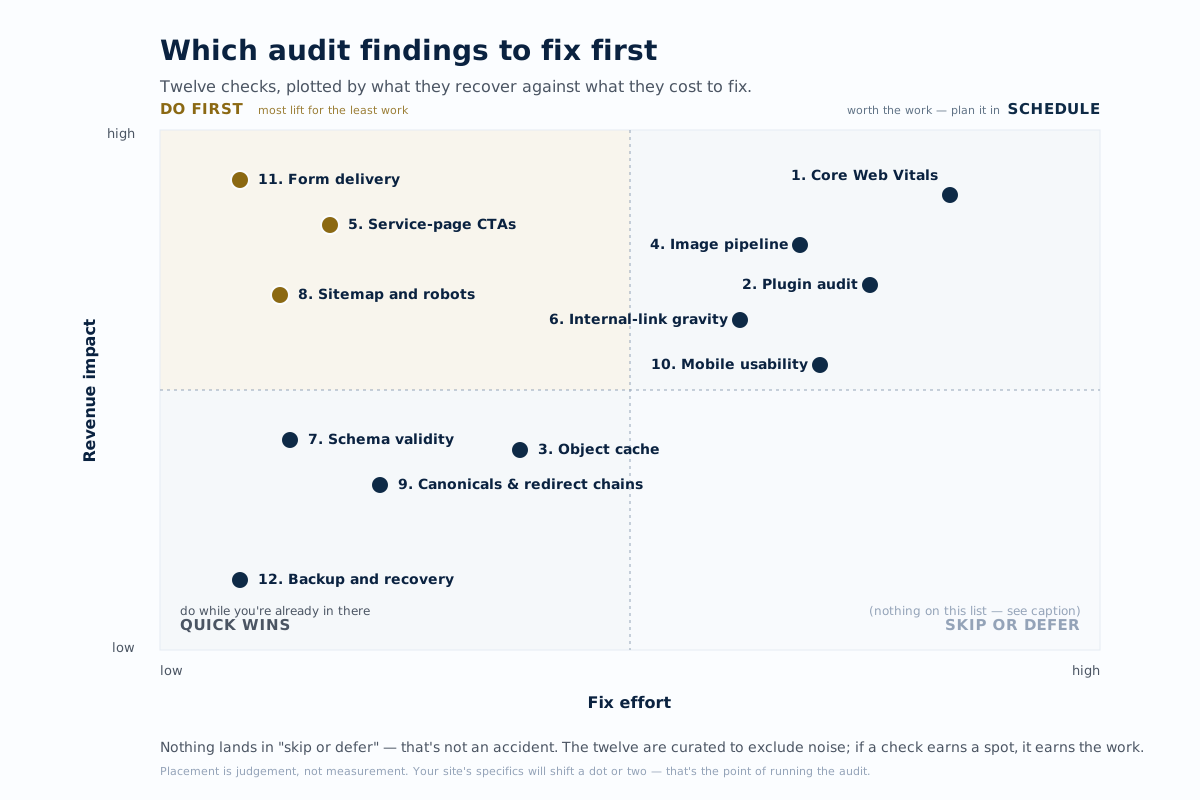
- Highest revenue impact, lowest effort first. A broken contact form on a top conversion page is a one-hour fix worth thousands of dollars. A schema warning on a low-traffic page is a one-hour fix worth almost nothing in measurable terms.
- Group by template. If the service-page template has a CTA problem, fixing it once across the template beats fixing it page by page.
- Ship one fix per week and measure. That cadence keeps the work honest. When a fix doesn’t move a number, the next question is why this fix didn’t work, before moving on to the next one.
- Defer cosmetic findings to a separate quarterly pass. They’ll keep building up regardless, and they don’t compete with revenue work for the same hour of attention.
A practical example from a service site
A 12-page services site, roughly 8,000 organic visitors per month, contact-form completion stuck around 1.2%. The audit findings, in priority order:
- p75 LCP at 4.1 seconds on mobile. The hero image was loaded with
loading="lazy"and was not preloaded. Fix: removed the lazy attribute and added a preload link tag. p75 LCP dropped to 1.8 seconds within a week. - Plugin audit. Three plugins were running on every page but were only needed on /contact/ and /book-a-call/. Scoped them to those two routes. Average page weight dropped by 180 kilobytes.
- Service pages had no above-the-fold CTA. Six of the eight service pages required a scroll before the first “book a call” button appeared. The CTA was added into the hero block at the template level. Form completion rose to 2.6% within 30 days.
- Object cache was connected but empty. A misconfigured persistent cache meant WordPress was hitting the database for every option lookup. The fix took 20 minutes; Time to First Byte (TTFB) on uncached requests dropped by 280 milliseconds.
The first three fixes alone moved the form-completion rate from 1.2% to 2.6%. On 8,000 visitors a month, that works out to roughly 112 additional inquiries a year. None of the four findings were exotic. They were ranked correctly, which is the part most audits skip.
Common audit mistakes that slow growth
- Auditing the homepage instead of the service pages. The homepage gets the traffic and the service pages do the converting. An audit that only looks at the homepage misses what actually pays the bills.
- Optimising for Lighthouse instead of for users. A site can score perfectly in Lighthouse and still be slow in field measurements, because Lighthouse is a synthetic test running on a fast machine and your visitors are on whatever device they happen to have. The Core Web Vitals field data in Search Console reflects what your visitors actually experience.
- Treating the audit as a one-time event. Plugins update, content drifts, performance regresses. A quarterly cadence catches the drift before it shows up in the rankings.
- Skipping the backup-and-recovery check. Every audit should include an actual restore test of the most recent backup. A backup that has never been restored is a backup you don’t actually have.
A 15-minute quick win you can do today
Open Chrome DevTools, switch to the Network tab, set throttling to “Slow 4G” with 4× CPU slowdown. Hard-reload your top-converting service page. Note the three slowest items by transfer size, and the three slowest by load time. Repeat the exercise on one other template, such as your blog index, your contact page, or your homepage.
If the slowest items are the same across both templates, the problem is sitewide, usually cache, theme, or font loading. If they’re different, the problem is template-specific: a plugin scoped to one template, or a unique third-party script. That ten-minute diagnosis is what tells you whether the next round of work is theme-level or page-level, before you commit to either.
When to bring in someone outside
Most of the work in this post is genuinely do-it-yourself. When it is not, the two-page pre-check is the lowest-cost entry point — or the full audit when the site has a real problem to solve. Run the 15-minute DevTools check, pull the four anchor numbers, work through the 12-check list, and you’ve done what a typical paid audit does. The honest reasons to bring in a specialist sit narrower than the marketing suggests:
- You’ve done the obvious passes and the numbers haven’t moved. That’s usually a server-level or persistent-cache misconfiguration that needs host-level access, not another scan.
- The site is at a scale where one team owns content and another owns infrastructure, and the audit findings cut across both. Someone has to coordinate the work across those lines.
- Two days of audit work has produced a prioritised list of thirty items, and the team can’t agree on what to ship first. An outside read forces a four-item version of the same list.
When I run an audit for a client, the tools I use are all free and on this page. What clients are paying for is the practice of ranking findings against revenue impact, learned across enough sites to know which findings on the long list are the ones worth shipping this quarter.
Product names referenced on this page — including WordPress — are trademarks or registered trademarks of their respective owners. Training offered here is independent and is not affiliated with, endorsed by, or sponsored by any of these companies.