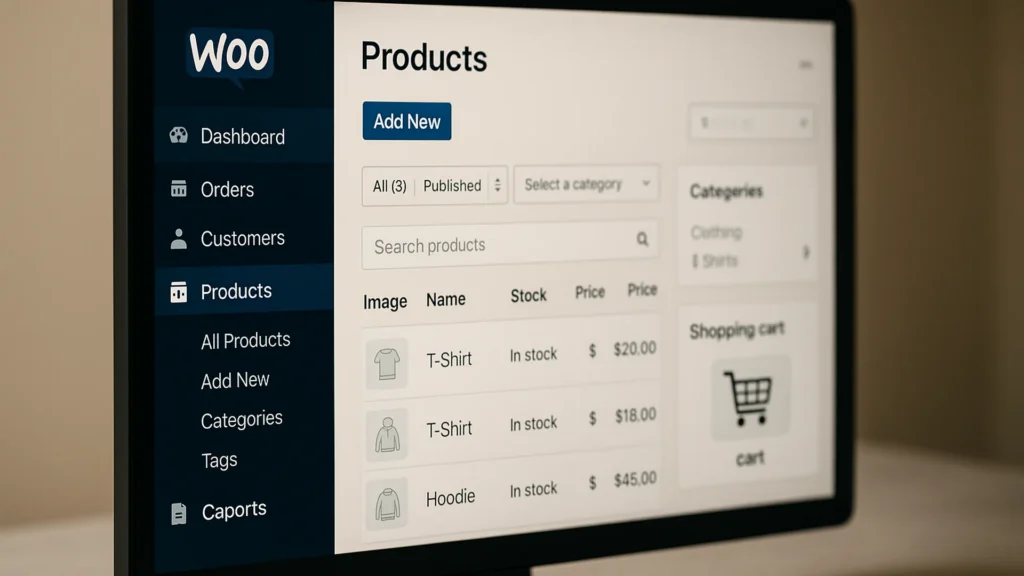
WooCommerce builds for product businesses that need a store visitors can actually buy from on a phone, with Canadian tax and shipping handled correctly out of the gate.
Platform context: WooCommerce since the project’s early days · WordPress since 2007 · 30 years on the open web with 19 of those on WordPress, across newsroom, brand, retail, and service-sector sites
WooCommerce builds for businesses that need product discovery, fast checkout, and SEO that actually surfaces the products customers are searching for. The deliverable is a store that converts the qualified traffic it earns — not a Shopify clone built on the wrong platform, not a checkout that takes seven steps to spell a customer’s name.
Who this is for
- ✅ Established product businesses (10–500 SKUs) where WooCommerce is the right platform — content marketing matters, the catalogue is stable enough that template work pays off, and the team needs editorial control beyond what hosted-platform builders allow.
- ✅ Existing WooCommerce stores stuck on a slow theme, a misconfigured payment gateway, or product-discovery patterns that don’t match how customers actually search.
- ❌ Brand new businesses without product-market fit yet — Shopify or a hosted platform gets you to validation faster. Come back when WooCommerce becomes the right answer.
What this solves
- Product discovery actually works. Search returns relevant results, faceted navigation matches how customers describe products, category pages rank for the queries that bring qualified traffic.
- Checkout drops a step. Most WooCommerce checkouts have at least one step that costs conversions — guest-checkout disabled, shipping calculation that runs after card entry, address autofill broken on mobile. Each gets fixed.
- Page speed holds at 100+ products. Catalogue pages stay under 2.5s LCP on mobile; product templates don’t slow as the catalogue grows.
- Tax and shipping work without manual override. Canadian GST/HST/PST, US sales tax via Avalara or TaxJar, shipping zones and rates that match actual carrier costs.
- Schema makes products eligible for rich results. Product, Offer, AggregateRating, Review schema where the data is honest — Merchant Listings program eligibility for stores that meet the bar.
What’s included
- Discovery + audit · weeks 1–2. Product catalogue review, conversion-funnel mapping, payment + shipping audit, performance baseline.
- IA + design · weeks 2–4. Catalogue structure, faceted navigation rules, product-page template, cart and checkout UX. Component library approved against real product data.
- Build · weeks 4–9. Theme development, plugin selection (WooCommerce extensions only when they earn their keep), payment gateway integration, shipping configuration, content migration with redirect plan.
- Launch + post-launch · weeks 9–11. Production cutover, redirect verification, transaction testing in production, performance monitoring, first-30-days hand-holding for the team.
- Documentation + training · week 11. Editorial guide, plugin runbook, common-task playbooks (adding a product, running a sale, fulfilment workflow).
Process
- Discovery call · joint, 20 min. Confirm fit, frame around real conversion goals. Deliverable: project brief.
- Audit · me, 1 week. Catalogue, checkout, performance, tax/shipping. Deliverable: findings document.
- Design · me, 2–3 weeks. IA + component library + checkout flow. Deliverable: approved design system.
- Build · me + your team for content + your finance team for tax, 4–5 weeks. Deliverable: feature-complete store on staging.
- Launch · joint, 1 week. Cutover, transaction validation, monitoring. Deliverable: live store + 30-day support.
Timeline and investment
I bill at $275 an hour. Typical engagement is 10–12 weeks. Investment ranges from $22,000 to $75,000 depending on catalogue size, payment/shipping complexity, and integrations (ERP, inventory, shipping carrier APIs).
The math: if your current store loses one transaction per day to checkout friction, slow product pages, or broken search, even a modest AOV pays back the build inside 6–12 months. The audit before the build surfaces those numbers; the build closes the gap.
Trust cues
- WooCommerce development since the early days of the platform; WordPress development since 2007.
- Familiar with the gateways most Canadian merchants use: Stripe, Square, Bambora, Moneris, PayPal.
- Tax stack experience: native WooCommerce tax, Avalara, TaxJar, manual matrix for special-case jurisdictions.
- Practical view on extensions: most stores need fewer than ten well-chosen Woo plugins, not the kitchen sink.
The WooCommerce extensions worth their keep
The store I build has fewer than ten WooCommerce extensions, every one earning its place. The list of extensions that genuinely justify their cost, by category:
- Payment gateway: WooCommerce Payments for most Canadian merchants — Stripe under the hood, integrated billing, no monthly add-on. Square or Bambora for merchants with existing relationships. PayPal as a secondary option for B2B buyers who insist.
- Tax: Native WooCommerce tax for simple Canadian (GST/HST/PST). Avalara or TaxJar when you cross provinces with destination-based tax or when you sell into the US. Manual tax tables for niche jurisdictions where automated services miss the mark.
- Shipping: WooCommerce Shipping (USPS-style integrations) for North American stores; Advanced Shipping when zones, weight, and product variations need to compose; carrier-specific plugins (Canada Post, FedEx, UPS) only when real-time rates beat flat-rate buckets for the actual customer base.
- Subscriptions: WooCommerce Subscriptions when you genuinely have recurring billing — not “we might add subscriptions later.” It is too heavy a plugin to install speculatively.
- Search: SearchWP or FacetWP for catalogues over 100 products where native WooCommerce search underdelivers. Below 100 products, native is fine.
What rarely earns its keep: marketing automation plugins that overlap with your email platform, “social proof” popups that cost more conversions than they earn, and review management plugins that silo data away from Search Console’s structured data.
WooCommerce or Shopify — the honest version
Shopify is the right answer more often than WooCommerce advocates admit. If you are selling a straightforward product catalogue, want a managed hosting environment that handles PCI compliance without thinking about it, and your store does not need to be deeply integrated with the rest of a WordPress site — Shopify is faster, cheaper to operate, and carries less technical liability than a self-hosted WooCommerce install. A developer who tells you otherwise without asking about your situation first is optimizing for their billing, not your outcome.
WooCommerce earns its complexity when the store cannot be separated from the rest of the site. When product data drives content, or content drives product discovery. When the checkout has to talk to systems that do not have Shopify apps. When WordPress is already the platform of record for the business and running a second platform alongside it creates more problems than it solves. Those are the WooCommerce projects worth building — and worth building properly, not assembled from extensions until something works.
The audit included at this tier
National flagship engagements include the $2,200 deep-dive audit by default, credited back against the build. At national-brand scale the audit produces a 30–50 page report covering the storefront, the catalogue and merchandising surface, the fulfilment and inventory architecture, the payment and regulatory surface, and the analytics and measurement stack — structured to survive a procurement or board review.
- Everything in the mid-tier audit — catalogue, performance, fulfilment, payments, analytics, integration inventory.
- An infrastructure and resilience review. Where the storefront runs today, what fails under campaign-spike traffic, where the dependencies sit, and what the recovery story looks like during peak season.
- A multi-warehouse and fulfilment architecture review. Inventory truth, allocation rules, drop-ship versus 3PL versus owned-warehouse mix, and the integration shape that lets the platform serve all of them without duplicate-stock incidents.
- A merchandising and catalogue model at national-brand scale — how products, variants, collections, taxonomies, and merchandising rules carry across channels.
- Each integration documented at architecture level. ERP, CRM, OMS, WMS, marketing automation, ad platforms, analytics, identity provider — data flows, failure modes, monitoring touchpoints.
- A governance and operations review. How merchandising, fulfilment, customer service, and platform changes get authorised, and how on-call works during peak season.
- A 30–50 page audit report structured to pass a procurement or board-level review.
The deep-dive audit doubles as the scoping document for the build — the report is what the written engagement scope is built from.
Training included
At this tier the training is a multi-day on-site programme structured around the merchandising, fulfilment, customer-service, and platform-owner teams — with the recorded library and ongoing Q&A backing it up.
- Multiple live online seminars across the build phase and the months after launch, role-segmented across merchandising, fulfilment, customer service, platform admin, and senior leadership.
- Two days of in-person training at the brand’s offices — hands-on workshops for each team, the platform-owner runbook walkthrough, and the senior-stakeholder briefing.
- Travel costs absorbed into the engagement for North American brands — not quoted separately at this tier.
- A recorded library of all seminars plus role-specific walkthroughs of the custom checkout, fulfilment integration, and analytics dashboards, kept available indefinitely.
- A full operator-and-platform document set — merchandising and catalogue reference, fulfilment runbook, customer-service recovery procedures, analytics dashboard guide, plugin governance, security posture, on-call procedures.
- A 30-day Q&A retainer post-launch with priority response, transitioning into the standard 90-day email Q&A access after that.
WordPress training classes delivered as part of this package
The training surface above is built around the WordPress training catalogue. The specific classes delivered as part of this engagement:
- WordPress Training 101 — delivered to the operations team in person on site.
- WordPress Training 201 — tuned for catalogue-scale content, merchandising patterns, and the conversion surface.
- WordPress Training 301 — delivered to the platform owner and the fulfilment-and-customer-service teams.
- Bespoke workshop on top of the catalogue. Bespoke workshops covering the multi-warehouse fulfilment integration, the merchandising surface, and the senior-leadership briefing.
Each course in the WordPress training catalogue has its own public-cohort schedule and pricing if your team wants the catalogue cohort outside an engagement. Within an engagement the delivery is tailored to your specific build — same curriculum, your context, your dashboard.
Audit and build credits, regardless of tier