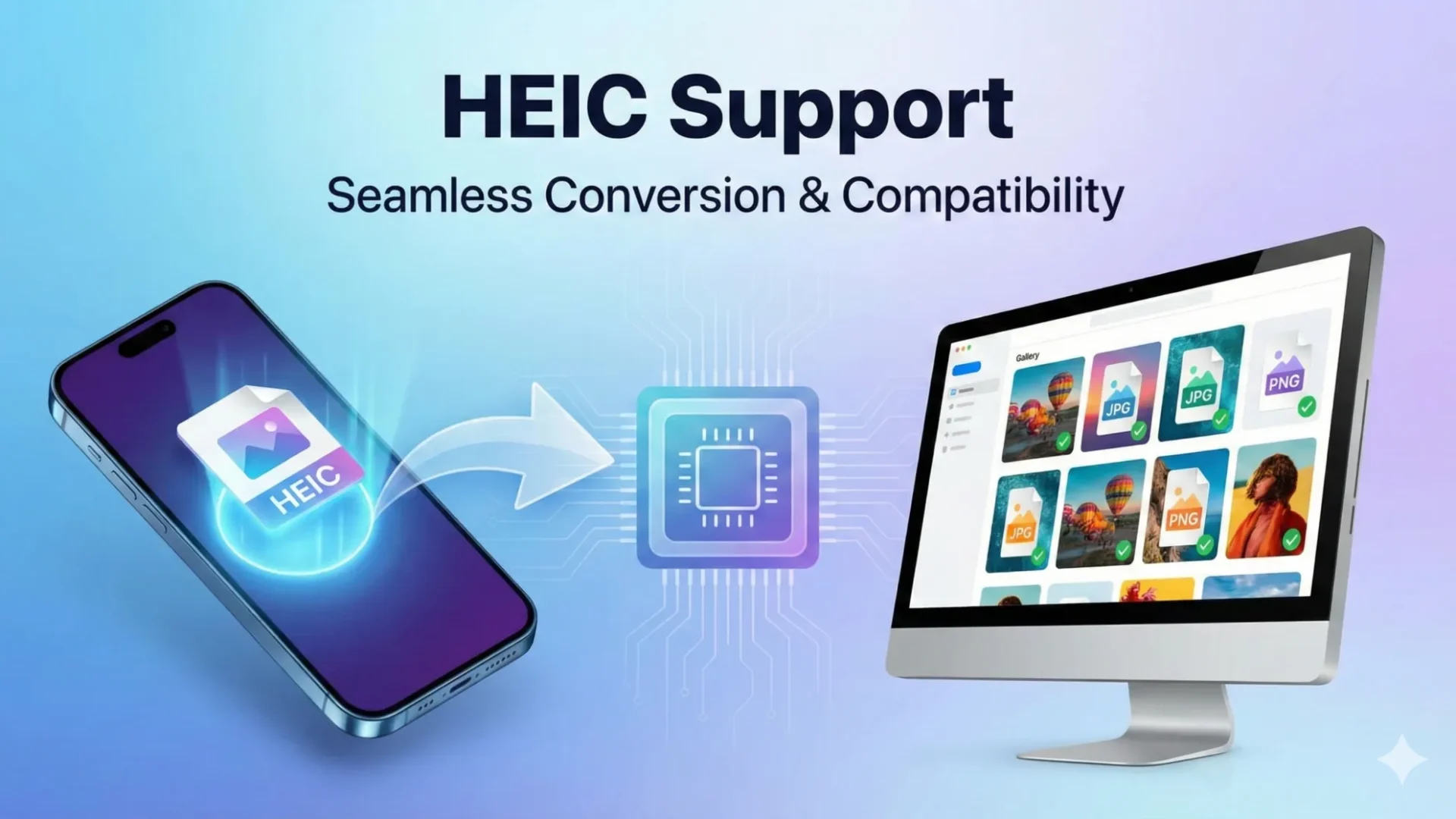
Technical performance is the primary conduit for global authority. While Apple’s HEIC (High Efficiency Image Container) format is a masterpiece of mobile storage—offering high-quality images at half the file size of a standard JPEG—it presents a significant “Integration Tax” for website owners. Most web browsers cannot natively display HEIC files, leading to broken images and a poor user experience.
Table of Contents
HEIC Support by thisismyurl.com is a lightweight, professional-grade utility designed to eliminate this technical debt. It automatically converts these high-efficiency files into WebP—the modern standard for web performance—ensuring your site remains fast, compatible, and visually elite.
While the software is free, your support funds a vital Social Impact Initiative. In 2026, your contributions are funding the specialized computational power and professional optics required to build gamified AI and web development training for at-risk learners. By supporting this mission, you aren’t just maintaining code; you are investing in a machine that turns technical potential into career-ready reality for those who need it most.
Safety-First Architecture: Non-Destructive Workflow
Our plugin is built with a Safety-First philosophy. Every time an image is converted, the original HEIC or HEIF file is archived in a secure, isolated backup folder located at /uploads/heic-backups/.
- 100% Automatic: New HEIC and HEIF uploads from modern smartphones are converted and optimized the moment they hit your Media Library.
- 1-Click Restoration: If you ever need to revert to your original high-resolution assets, a single click restores your original file perfectly.
- Live Savings Report: Access a real-time dashboard to monitor exactly how much server space you have reclaimed through optimization.
- Bulk Processing: Convert your existing library using an AJAX-powered engine designed to prevent server timeouts.
Supporting the Mission: Technical Sovereignty for All
I believe that the essential tools for a faster web should be accessible to everyone, which is why I offer HEIC Support as a free, open-source utility. By providing this tool without a recurring subscription or hidden API fees, I am helping you reclaim your technical sovereignty and maximize your site’s ROI. This project is a distillation of 20 years of institutional knowledge, refined into a high-concurrency solution for the WordPress ecosystem.
Please consider supporting my mission.
Installation & Technical Requirements
Transitioning to an optimized media framework is a strategic move to bypass the “Algorithmic Ceiling” that limits unoptimized sites.
- Download: Fetch the latest release from our GitHub repository.
- Upload: Place the
thisismyurl-heic-supportfolder into your/wp-content/plugins/directory. - Activate: Navigate to Media > HEIC Support to initiate your first optimization batch.
Technical Note: This plugin requires WordPress 6.0+ and PHP 7.4+. Because HEIC is a specialized format, your server must have the ImageMagick (Imagick) extension installed to handle the conversion logi.
Frequently Asked Questions
Why does WordPress say “file type not permitted” for HEIC images?
By default, WordPress restricts HEIC and HEIF uploads because they are XML-based containers that can theoretically pose security risks if not handled correctly. Furthermore, most web browsers cannot natively render HEIC files, making them impractical for standard web use. Our HEIC Support plugin safely authorizes these MIME types and immediately converts them into the web-standard WebP format to ensure compatibility across all devices.
How do I convert HEIC to WebP in WordPress without a subscription?
Many image optimization plugins charge a monthly “Integration Tax” or require expensive API keys to process modern image formats. HEIC Support by thisismyurl.com provides a free, professional-grade alternative by using your server’s internal ImageMagick engine. This allows you to bulk-convert existing Apple device photos and auto-optimize new uploads without recurring costs.
Is converting HEIC to WebP a “non-destructive” process?
Maintaining Data Integrity is essential for professional webmasters. Our plugin follows a Safety-First philosophy: rather than deleting your original high-resolution HEIC files, it archives them in a secure backup directory at /uploads/heic-backups/. This non-destructive workflow allows you to restore your original assets at any time with a single click, ensuring you never lose your source quality.
Does HEIC conversion require specific server settings?
Yes, because HEIC is a specialized mobile format, the standard PHP GD library used by most WordPress sites cannot process it. To use the HEIC Support plugin, your server must have the ImageMagick (Imagick) extension installed with libheif support. Most modern managed WordPress hosts include this as a standard feature, allowing for high-concurrency image processing.
Can I bulk-convert my existing iPhone photos to WebP?
If you have a library full of unoptimized HEIC files, you can use our built-in AJAX Bulk Processor. This tool scans your Media Library and converts files in small batches to prevent server timeouts, which is critical for maintaining high-performance hosting environments. You can monitor your progress and see a Live Savings Report of exactly how much server space you’ve reclaimed.
Support My Work
Before you download this asset, consider becoming a partner in a larger mission. Your support directly funds the Social Impact Initiative, where I am leveraging 25 years of digital architecture to build gamified, AI-driven learning tools for at-risk communities. When you contribute, you aren't buying my coffee; you are investing in those the traditional education system has left behind. Join me in bridging the digital divide—help me turn technical potential into a self-sovereign reality for the next generation of developers.
Or, you can Download Directly from GitHub →
HEIC Support Plugin for WordPress
HEIC Support by thisismyurl.com is a lightweight, professional-grade utility designed to eliminate this technical debt. It automatically converts these high-efficiency files into WebP—the modern standard for web performance—ensuring your site remains fast, compatible, and visually elite.
Price: FREE
Price Currency: CAD
Operating System: WordPress
Application Category: BrowserApplication