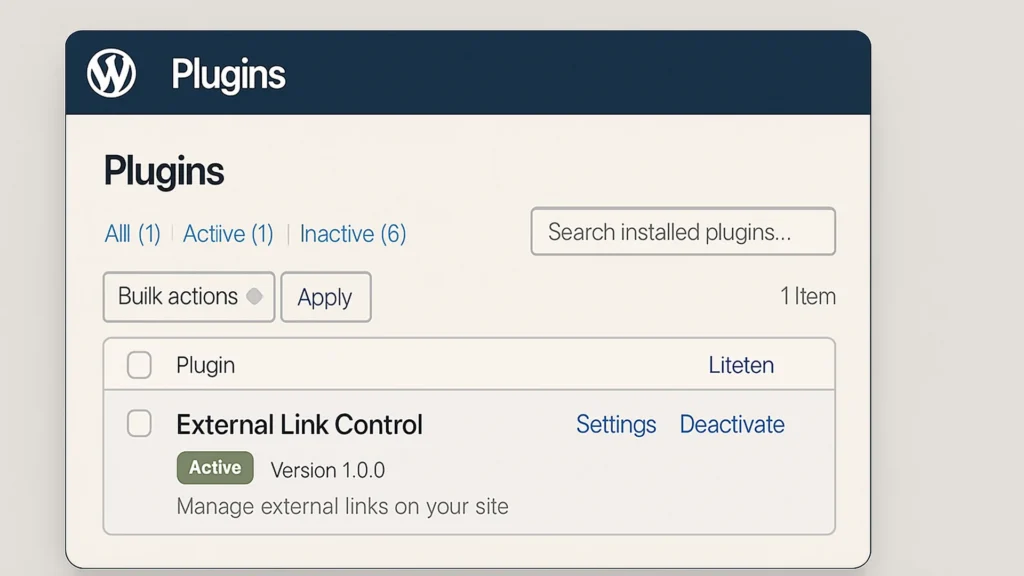
External Link Control for WordPress

A lightweight, educational WordPress plugin to globally manage outbound link behavior. Built for performance, security, and learning.

We often obsess over what comes into our sites—backlinks, traffic, and user queries. However, a critical yet frequently overlooked component of a high-performing website is what goes out. Managing external links (links pointing to domains other than your own) is a fundamental skill for any webmaster, marketer, or developer.

This tool distills 20 years of institutional knowledge into a lightweight, high-concurrency solution that eliminates the technical debt of unmanaged outbound traffic. While the software remains free, your support fuels a larger Social Impact Initiative. In 2026, your contributions fund the high-performance computational hardware and pro-grade optics needed to develop gamified AI and web development training for at-risk learners, turning technical potential into career-ready reality.

Support the Mission & View Ways to Donate

When you link to an external website, you are essentially providing a “vote of confidence” to that domain. In the eyes of search engine crawlers like Google, every link is a signal. Without proper management, these signals can inadvertently harm your site’s performance or user experience.

Every page has a finite amount of “authority” it can pass on. If you have dozens of links on a page pointing to external resources, you are diluting your own page’s authority. By using the rel="nofollow" attribute, you tell search engines: “I recognize this site exists, but I am not vouching for it in a way that should impact its ranking.” This is essential for sponsored content, affiliate links, or user-generated comments.

Enhancing User Retention

The “Bounce Rate” is a controversial metric, but “Dwell Time” is not. If a user clicks a link in the middle of your article and it opens in the same tab, they have effectively left your ecosystem. By forcing external links to open in a new tab (target="_blank"), you ensure your content remains open and accessible, encouraging the user to return to your site once they’ve finished with the external resource.

Security and Performance

Opening links in new tabs without proper security attributes (like noopener and noreferrer) can expose your site to a vulnerability known as “tabnabbing,” where the newly opened page can theoretically gain control over the original page. Proper link control automates the inclusion of these security headers.

Many plugins on the market are “heavy”—they bloat your database by physically changing your posts and pages. Our plugin takes a different, more elegant approach. It is designed as a Teaching Plugin, demonstrating how to use WordPress Filters to modify content “on the fly.”

The Power of the_content Filter

Instead of saving changes to your database, the plugin intercepts your post content right before it is sent to the visitor’s browser. It uses the the_content hook, which is the standard way WordPress processes article text.

Regex (Regular Expression) Processing

The plugin uses a sophisticated pattern-matching system called Regex. It scans your HTML for the <a> tag. When it finds one, it performs a quick logic check:

  • Is it an absolute link? (Does it start with http?)
  • Is it external? (Does the domain match your site’s URL?)

If both conditions are met, the plugin injects your preferred attributes (like class="external-link", target="_blank", or rel="nofollow") into the HTML string before the page finishes loading.

The Advantages: Beyond the Code

Using a dedicated, lightweight tool for link control offers several long-term advantages for your business and technical SEO strategy.

Non-Destructive Management

Because the plugin doesn’t change your database, you have zero “lock-in.” If you decide you no longer want all links to be nofollow, you simply toggle a switch in the Tools > Link Control menu. Your original content remains pristine. This is a massive advantage for developers who want to maintain “Clean Code” standards.

Consistent Branding and UX

By automatically adding a specific CSS class (e.g., external-link-timu) to every outbound link, you can use your theme’s stylesheet to add a small icon (like a little arrow) next to external links. This provides a visual cue to your users, enhancing the professional feel of your site.

Automated Compliance

As privacy laws (like GDPR) and search engine guidelines evolve, being able to globally update how your site handles outbound traffic is a legal and technical safeguard. You can stay compliant without manually editing thousands of archived blog posts.

Learn by Doing: A Teaching Tool for Developers

I didn’t just build this plugin to be useful; I built it to be a learning resource. If you open the plugin files, you will find I documented it excessively. Every function, class, and logic gate is explained with inline comments.

For students of PHP and WordPress development, this plugin demonstrates:

  • Object-Oriented Programming (OOP): How to wrap code in a class to prevent site crashes.
  • Settings API: How to build a custom dashboard in the WordPress admin.
  • Security Best Practices: How to sanitize user inputs and escape outputs.

Get Started: Download for Free

I believe that the best way to improve the web is to share knowledge and tools. You can download the External Link Control plugin for free directly from our GitHub repository.

Whether you are looking to boost your SEO, improve your site’s user experience, or learn how to write better WordPress code, this tool is for you.

Join the Conversation

I’m supplying this plugin free of charge because I’m passionate about the tech community and WordPress developers worldwide. If you have any questions about how to implement this, or if you’re a student struggling with a specific part of the code, come ask (and if you’d be kind enough to leave a review, I’d appreciate that too!)

Frequently Asked Questions

Will this plugin slow down my website performance?

Not at all. Unlike many plugins that load heavy JavaScript or query the database constantly, External Link Control is extremely lightweight. It uses a single PHP filter that processes the content only when a page is requested. Because it uses efficient Regular Expressions (Regex) to identify links, the impact on page load time is virtually zero.

Does this plugin permanently change my blog posts?

No. This is one of the primary advantages of this tool. It is non-destructive, meaning it modifies the HTML “on the fly” as it is being sent to the visitor’s browser. Your original content remains untouched in the database. If you ever deactivate the plugin, your links will immediately return to their original behaviour.

How does the ‘nofollow’ attribute help my SEO?

When you link to another site without rel="nofollow", you are passing a portion of your “crawl equity” or “link juice” to that site. While linking to high-quality resources is good, having too many outbound links can dilute your own page’s authority. Using nofollow allows you to reference external sites while keeping your SEO strength focused on your own content.

Is this plugin compatible with page builders like Elementor or Beaver Builder?

Yes. Because the plugin hooks into the standard WordPress the_content filter, it will process any links found within the main content area of your pages, regardless of whether you used the default Gutenberg editor or a third-party page builder.

Can I style external links differently than internal ones?

Absolutely. By enabling the “Add CSS Class” option in the settings, the plugin will inject a specific class (lik external-link-timu) into every outbound anchor tag. You can then add a small snippet of CSS to your theme to give these links a unique colour, underline, or even a small “external link” icon.

External Link Control for WordPress

A lightweight, educational WordPress plugin to globally manage outbound link behaviour. Built for performance, security, and learning.

Price: FREE

Price Currency: CAD

Operating System: WordPress

Application Category: BrowserApplication

About Christopher Ross

Based in Niagara Falls, Ontario, he is currently completing a Master of Arts in Learning and Technology at Royal Roads University. Christopher combines deep WordPress expertise with advanced instructional design to build high-performance Digital Learning Architectures for global brands like Sherwin-Williams. He is a passionate advocate for digital equity, specializing in low-bandwidth optimization and accessible technology for underserved communities.

View all posts by Christopher Ross →

Leave a Rating

Your email address will not be published. Required fields are marked *

Your email address will not be published.

Ready to Grow Your Business?

Take the next step toward success. Let's build something great together.

Book Your Free Consultation Today