Video is no longer a luxury—it is the primary driver of search engine visibility and customer trust. For business owners, the question has shifted from “should we use video?” to “where should our video live to maximize ROI?” This guide provides an authoritative deep dive into the technical and commercial landscape of video hosting, designed to help you make a data-driven decision for your brand.
Table of Contents
The Four Strategic Tiers of Video Hosting
To understand which solution fits your business, you must categorize your video content by its intended goal. Most successful companies use a “Hybrid Strategy,” utilizing different tiers for different stages of the customer journey.
Tier 1: The Awareness & Discovery Tier (Social Video)

The goal of this tier is maximum reach. These platforms are essentially search engines in their own right. By hosting content here, you are tapping into existing global audiences. This is the “top of the funnel” where you attract strangers and turn them into visitors.
- Primary Use Case: “How-to” guides, industry thought leadership, and viral-style brand awareness clips.
- SEO Impact: High. YouTube videos often occupy “Position 0” on Google search results via video carousels.
- The Business Trade-off: While free, these platforms prioritize their own ecosystem. They will show ads from your competitors and “recommended videos” that lead users away from your site once your video ends.
Tier 1: The Awareness & Discovery Tier (Social Video) The goal of this tier is maximum reach. These platforms are essentially search engines in their own right. By hosting content here, you are tapping into existing global audiences. This is the “top of the funnel” where you attract strangers and turn them into visitors.
- Primary Use Case: “How-to” guides, industry thought leadership, and viral-style brand awareness clips.
- SEO Impact: High. YouTube videos often occupy “Position 0” on Google search results via video carousels.
- The Business Trade-off: While free, these platforms prioritize their own ecosystem. They will show ads from your competitors and “recommended videos” that lead users away from your site once your video ends.
In the awareness tier, video hosting is treated as a discovery engine rather than a private storage locker. Because YouTube is the second-largest search engine in the world, hosting content here allows businesses to capitalize on “intent-based” searches that happen outside of their own domain. When a user searches for a solution to a problem on Google or YouTube, they are often presented with a video carousel before they ever see a traditional blue link. This is known as the “Barnacle SEO” strategy—attaching your brand to a high-traffic, high-authority platform to draft off its massive visibility.
However, the “free” price tag comes with a significant strategic tax: the loss of the ecosystem. These platforms are engineered to maximize “Time on Site” for their users, not your customers. Every design choice, from the “Up Next” sidebar to the auto-play algorithm, is a potential exit ramp leading away from your brand. For a business, this means Tier 1 content must be specifically designed as a “bridge.” The goal is not just to get views, but to provide enough value that the viewer is compelled to click the link in your description and move to your Tier 2 or Tier 3 environment. By understanding this trade-off, you can use these platforms to build a massive audience without letting your competitors hijack your hard-earned traffic.
Tier 2: The Professional Showcase Tier (Branding & Experience)

This tier is for videos that live on your high-value landing pages. When a user is already on your site, you want a “white-label” experience. You need a player that matches your brand colors, has no external ads, and loads instantly.
- Primary Use Case: Homepage explainer videos, service demonstrations, and client testimonial galleries.
- The Business Angle: A clean, ad-free player signals that your business is established and professional. It reduces “cognitive friction,” keeping the user’s focus entirely on your value proposition.
- Key Player: Vimeo and VideoPress dominate this space by offering beautiful, minimalist players that don’t distract from the site design.
In the professional showcase tier, the video player is an extension of your physical storefront. When a prospect lands on your website, they have already bypassed the “discovery” phase and are now in the “evaluation” phase. At this critical juncture, any technical hiccup or off-brand element acts as cognitive friction, sowing seeds of doubt about your company’s attention to detail. A “white-label” player eliminates these risks by removing the cluttered UI elements typical of free platforms. By customizing the player’s hex colors and interface to match your brand’s visual identity, you create a seamless immersion that keeps the visitor within your controlled environment.
Beyond aesthetics, this tier focuses heavily on user retention metrics. Public platforms are designed to keep users on the platform, often suggesting “related videos” that might lead a potential client directly to a competitor’s channel. Professional hosting shuts these exits down. Furthermore, Tier 2 providers prioritize high-performance delivery through specialized video CDNs, ensuring that your high-resolution testimonials or product demos load with zero perceived lag. This speed is a quiet but powerful indicator of reliability. In a business context, a fast, beautiful, and ad-free video experience reinforces the perception that your brand is a premium, high-authority choice that values the customer’s time and attention.
Tier 3: The Conversion & Marketing Tier (Lead Generation)

At this stage, video becomes a functional sales tool. This tier is for businesses that want to know who is watching and use that data to close deals. These platforms integrate directly with your CRM (like HubSpot or Salesforce). They’re also ideal for Corporate LMS integration and learning platforms.
- Primary Use Case: Product deep-dives, gated webinars, and sales personalized messages.
- The Business Angle: Features like “Turnstiles” (email capture forms inside the video) and “In-Video CTAs” allow you to generate leads directly from the playback.
- Key Player: Wistia and Vidyard are the industry standards for marketing teams who need heatmaps to see exactly where a viewer stopped watching.
Tier 3: The Conversion & Marketing Tier (Lead Generation) At this stage, video becomes a functional sales tool. This tier is for businesses that want to know who is watching and use that data to close deals. These platforms integrate directly with your CRM (like HubSpot or Salesforce).
- Primary Use Case: Product deep-dives, gated webinars, and sales personalized messages.
- The Business Angle: Features like “Turnstiles” (email capture forms inside the video) and “In-Video CTAs” allow you to generate leads directly from the playback.
- Key Player: Wistia and Vidyard are the industry standards for marketing teams who need heatmaps to see exactly where a viewer stopped watching.
In the conversion tier, video hosting serves as a sophisticated listener that monitors your audience’s behaviour to inform your sales strategy. Unlike “blind” hosting on social platforms, where you only see a total view count, Tier 3 platforms provide individual-level viewer analytics. For a sales-driven business, knowing that a specific high-value prospect watched your pricing video three times is an “intent signal” that a cold view count can never provide. This allows your sales team to prioritize outreach based on actual engagement rather than guesswork.
The true power of this tier lies in its CRM integration. When a viewer enters their email into a “Turnstile” collector, that data—along with their specific viewing history—is pushed directly into your marketing automation platform. You can trigger automated follow-up emails based on how much of the video was watched; for example, if a user stops at the 50% mark, you can send them a “Part 2” or a summary PDF. Engagement Heatmaps reveal exactly where your messaging resonates and where it falters, showing you the specific second users “drop off” or which sections they rewatch most frequently. By transforming passive viewers into trackable leads, this tier effectively turns your video player into a high-performance sales representative that works around the clock to identify and qualify your next customer.
Tier 4: The Enterprise & Security Tier (Intellectual Property)

For organizations that handle sensitive data or sell content as their primary product, security is the top priority. This tier focuses on “Digital Rights Management” (DRM) and restricted access.
- Primary Use Case: Employee training, paid online courses, and confidential corporate communications.
- The Business Angle: You need to ensure that your paid content cannot be easily downloaded or shared via a public link. These platforms offer domain-locking, password protection, and single sign-on (SSO) for internal teams.
In this tier, video hosting transitions from a delivery tool to a protective barrier for your most valuable intellectual property. High-level security is non-negotiable for creators selling high-ticket masterclasses or enterprises distributing proprietary trade secrets. This infrastructure utilizes Digital Rights Management (DRM) technologies, such as Google Widevine and Apple FairPlay, which encrypt the video stream at a level that prevents standard browser extensions and “video downloaders” from stealing your content.
Furthermore, enterprise solutions often employ Dynamic Watermarking, which overlays the viewer’s email address or IP address onto the video in real-time. This acts as a powerful deterrent against screen recording, as any leaked footage can be traced directly back to the specific user. Domain-level whitelisting ensures that even if an unauthorized person discovers your video’s source URL, the player will strictly refuse to load on any website other than your authorized portal. For corporate environments, integration with Single Sign-On (SSO) protocols ensures that only authenticated employees can access internal libraries. By investing in this tier, you are not just hosting a file; you are securing your revenue stream and ensuring that your proprietary knowledge remains an exclusive, protected asset within your business ecosystem.
Business Video Hosting Comparison (2026)
| Provider | Best For | Storage / Limits | Core Business Feature | Pricing (Starting) |
| YouTube | Brand Discovery | Unlimited | Massive built-in SEO reach | Free (Ad-supported) |
| VideoPress | WordPress Users | 1 TB (Huge) | Deep WordPress integration | ~$10/mo |
| Vimeo | High-End Branding | 5 – 240+ videos | Review tools & collaboration | ~$12/mo (Starter) |
| Wistia | Marketing ROI | 10 – 250+ videos | Lead capture & CRM sync | ~$19/mo |
| Vidyard | Sales Outreach | Unlimited (tiered) | Personalized video emails | Free / ~$19/mo |
| Dacast | High-Traffic Events | 50 GB+ / TBs | Pay-per-view & Live stream | ~$39/mo |
The “WordPress Powerhouse”: Deep Dive into VideoPress
For businesses running on WordPress, VideoPress (by Jetpack/Automattic) offers a unique middle ground. It provides the professional, ad-free experience of Vimeo but lives directly within your WordPress Media Library.
Why it’s a Search Engine Magnet:
Because VideoPress is built by the team behind WordPress, it is highly optimized for Core Web Vitals.
Automatic Transcoding: Protecting Site Performance and User Experience
From a business standpoint, Automatic Transcoding is your primary defence against high bounce rates and “speed-related” lost revenue. In a world where 50% of web traffic is mobile, you cannot assume every customer has a 5G connection or the latest hardware. Without transcoding, a business is forced to serve a “one-size-fits-all” file—usually a large, high-definition version that will buffer or fail to load on a smartphone with a weak signal.
When a visitor experiences buffering, they don’t blame their service provider; they associate the lag with your brand’s lack of professionalism. Transcoding automatically creates a “ladder” of video resolutions (e.g., 480p, 720p, 1080p, 4K). The video player then uses Adaptive Bitrate Streaming to detect the user’s real-time connection speed and serves the optimal file version. This ensures that the video starts playing instantly and stays playing, regardless of whether the user is on a desktop in an office or a phone on a train. By providing a seamless, “frictionless” viewing experience, you increase the likelihood that the visitor stays on your site long enough to absorb your sales message and take action.
Global CDN: Reducing Latency and Strengthening Global Brand Authority
A Global Content Delivery Network (CDN) is a critical infrastructure investment for any business that operates beyond a single city. Without a CDN, your video lives on one central server. If that server is in Toronto and a potential client in London or Sydney tries to watch your video, the data must travel thousands of miles through multiple “hops,” causing significant delay (latency).
By using a Global CDN, your video is “cached” or mirrored on hundreds of servers across the globe. When a user clicks play, the CDN automatically routes the request to the server geographically closest to them—the “edge” server. For a business, this results in near-instant start times and higher video quality. This is vital for maintaining brand authority; a site that feels “fast” and “responsive” worldwide signals that your company is a modern, global-ready operation. Furthermore, search engines like Google incorporate page speed into their ranking algorithms. A fast-loading video delivered via a CDN directly improves your SEO performance, ensuring that your content ranks higher and reaches more potential customers across the globe.
Ad-Free by Default: Reclaiming Your “Digital Real Estate”
Hosting video Ad-Free by Default is about maintaining total control over your customer’s journey and your brand’s integrity. When businesses use free “wrappers” for YouTube or third-party players, they are effectively inviting a competitor into their own showroom. Free platforms are built to maximize their ad revenue, not your sales. This means a potential lead watching your “Service Overview” video might be interrupted by a pre-roll ad from a direct competitor or distracted by a “Suggested Videos” sidebar once your content ends.
From a marketing perspective, an ad-supported player is a “leak” in your sales funnel. It pulls the visitor away from your site and back into the social media ecosystem. A dedicated, ad-free host like VideoPress ensures that the viewer’s attention remains 100% on your message. There are no distracting logos, no “Related Content” from other brands, and no intrusive commercial interruptions. This “clean” presentation creates a premium, white-label experience that reflects high standards of quality. By removing these distractions, you create a focused environment where the only logical “next step” for the user is your Call to Action (CTA), significantly increasing your site’s conversion rates.
Technical SEO: How to Rank Your Videos on Google
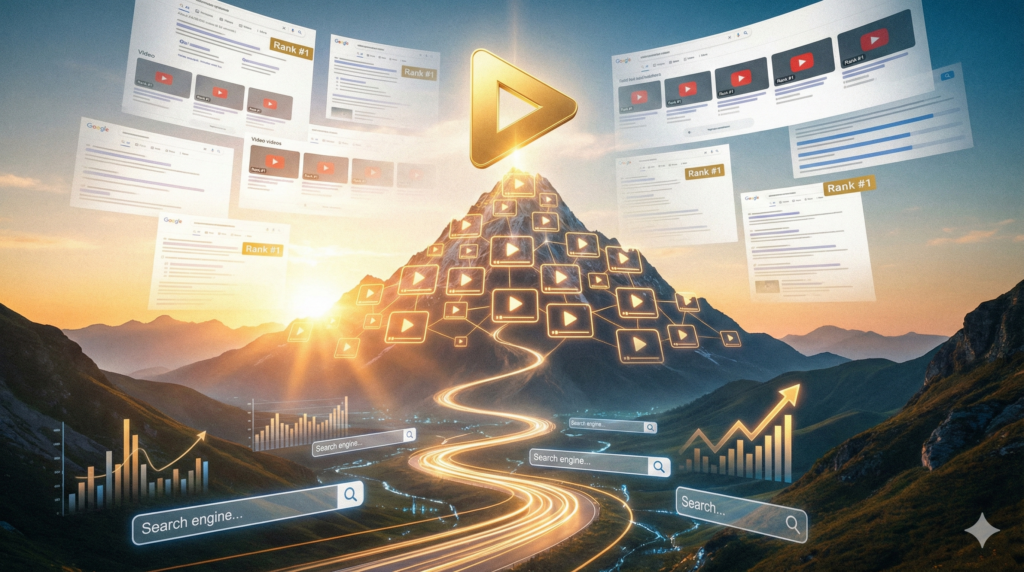
To turn your video hosting choice into a search engine success story, you must understand Video Schema. Search engines cannot “watch” your video; they can only read the data you provide.
Video Schema: The Key to Rich Snippets
The most critical technical element for ranking is Video Schema Markup (JSON-LD). Search engines cannot “watch” your video; they can only read the metadata you provide in the code.
A high-authority video host will automatically inject this schema into your page, defining:
nameanddescription: Ensuring keywords are indexed.thumbnailUrl: Telling Google which image to display in the search results.uploadDateandduration: Providing context on freshness and depth.contentUrlorembedUrl: Ensuring the source is verifiable.
By properly implementing Video Schema, your business can qualify for Video Rich Snippets. These results stand out on the page with a thumbnail and “Key Moments” (chapters), significantly increasing your click-through rate (CTR) compared to a standard text link.
An example of properly structured Video Schema:
<script type="application/ld+json">
{
"@context": "https://schema.org",
"@type": "VideoObject",
"name": "How to Choose the Right Video Hosting for Your Business",
"description": "An authoritative guide exploring the ROI, SEO benefits, and technical requirements of professional video hosting in [year].",
"thumbnailUrl": [
"https://example.com/photos/1x1/photo.jpg",
"https://example.com/photos/4x3/photo.jpg",
"https://example.com/photos/16x9/photo.jpg"
],
"uploadDate": "[year]-12-28T08:00:00-05:00",
"duration": "PT5M30S",
"contentUrl": "https://example.com/video/hosting-guide.mp4",
"embedUrl": "https://videopress.com/embed/example-id",
"interactionStatistic": {
"@type": "InteractionCounter",
"interactionType": { "@type": "WatchAction" },
"userInteractionCount": 1245
},
"regionsAllowed": "CA,US",
"hasPart": [
{
"@type": "Clip",
"name": "Understanding Video Infrastructure",
"startOffset": 0,
"url": "https://example.com/video-guide#t=0"
},
{
"@type": "Clip",
"name": "Comparison of Top Hosting Providers",
"startOffset": 150,
"url": "https://example.com/video-guide#t=150"
}
]
}
</script>
Cumulative Layout Shift (CLS)
To prevent the “SEO Killer” known as Cumulative Layout Shift (CLS), developers must define the video player’s dimensions before the content actually loads. When a browser doesn’t know the video’s aspect ratio, it defaults to a height of zero and then “pushes” the rest of your content down once the player initializes, a behaviour that Google’s Core Web Vitals heavily penalizes. The modern standard for solving this is the CSS aspect-ratio property or the “padding-bottom” hack for older browser support. By wrapping your embed code in a responsive container with a predefined ratio (typically 16:9), you create a “reserved space” that keeps the page layout stable.
CSS Aspect Ratio Solution
This is the cleanest, most modern approach for 2026. It tells the browser to reserve a 16:9 space regardless of the screen width.
The CSS:
/* The Container */
.video-placeholder {
width: 100%;
aspect-ratio: 16 / 9; /* Reserves the space immediately */
background-colour: #f0f0f0; /* Optional: grey box during load */
display: block;
}/* The Embed (YouTube, Vimeo, VideoPress) */
.video-placeholder iframe {
width: 100%;
height: 100%;
}
The HTML:
<div class="video-placeholder">
<iframe
src="https://videopress.com/embed/EXAMPLE"
frameborder="0"
allowfullscreen
loading="lazy"
title="Service Overview Video">
</iframe>
</div>
The AI Revolution in Video Hosting: Beyond Simple Storage
The role of a video host has evolved from a passive storage “bucket” into an active AI-driven partner. Artificial Intelligence has moved from a novelty to a core infrastructure requirement, allowing small teams to produce and manage content at an enterprise scale.
AI-Automated Search Engine Visibility
The most significant shift for SEO-conscious businesses is AI-driven metadata generation. Modern professional hosts now use Large Language Models (LLMs) to scan your video content and automatically generate:
- Semantic Timestamps: AI identifies the logical “chapters” of your video and generates the
hasPartSchema automatically. This allows Google to show “Key Moments” in search results, helping users jump directly to the answer they need. - Smart Transcripts & Summaries: Instead of a generic description, AI generates a contextually aware summary and a full transcript, significantly increasing the “indexable” text on your page without manual effort.
Synthetic Localization and Global Reach
For businesses targeting diverse markets, AI has removed the language barrier. Professional hosting platforms now offer AI Synthetic Dubbing. This technology can take a single video recorded in English and generate a translated audio track in 50+ languages that retains the original speaker’s tone and emotion. This allows a local Niagara business to instantly globalize its “How-to” guides or service explainers for a fraction of the cost of traditional voice-over talent.
Interactive & Shoppable Video: The Conversion 2.0 Frontier
In the previous decade, video was a “lean back” experience—users watched and then (hopefully) took action later. In 2026, video is “lean forward.” Interactive video removes the distance between the viewer’s interest and the business’s goal.
Reducing the “Click-to-Purchase” Friction
Shoppable Video layers allow creators to tag products or services directly within the video frame. If a viewer sees a product they like, they can click a “hotspot” to see pricing and an “Add to Cart” button without ever pausing the video or leaving the page. This is a game-changer for e-commerce conversion rates, as it capitalizes on the viewer’s impulse at the peak moment of engagement.
Branching Narratives for Personalized Sales
Interactive hosting now supports Branched-Path Logic (similar to a “choose-your-own-adventure” story). For example, an insurance company could ask the viewer at the start of a video: “Are you looking for home, auto, or life insurance?” Depending on the click, the host serves only the relevant segment of the video. This level of personalization significantly reduces “drop-off” rates because the viewer only sees content that applies to them. From a business perspective, the data collected from these interactions provides a goldmine of lead-qualification info: you aren’t just seeing that someone watched; you’re seeing exactly what they are interested in.
KPIs That Actually Matter for ROI
To accurately measure the success of your video strategy in 2025, you must move beyond “vanity metrics” like total view counts. While a high view count looks impressive on a report, it rarely correlates directly with business growth. Instead, high-authority marketers focus on Engagement and Retention KPIs.
The most critical metric is the Average Completion Rate. This reveals exactly how much of your message is being consumed. If you have 10,000 views but a 5% completion rate, your content is failing to hold attention. Conversely, a video with 500 views and an 80% completion rate indicates a highly qualified, deeply engaged audience. Closely tied to this is the Play Rate, which measures the percentage of page visitors who actually click “play.” A low play rate suggests a mismatch between your video’s thumbnail/title and the surrounding page content. Finally, Engagement Heatmaps allow you to visualize “rewatch” spikes and “drop-off” points. For example, if viewers repeatedly rewatch a specific 10-second technical explanation, you’ve identified a key value point. By optimizing your videos based on these behavioral signals, you ensure that every second of content is engineered to keep the viewer moving toward your commercial goal.
SEO Impact: Capturing the Organic Advantage
Video is one of the most powerful levers for improving your website’s search engine performance. The primary SEO KPI to monitor is Dwell Time—the total duration a user spends on your page after clicking through from a search result. Google’s algorithms interpret a high dwell time as a strong “satisfaction signal,” suggesting that your page successfully answered the user’s query. By embedding a high-quality, relevant video above the fold, you can increase a page’s average session duration by over 200%, directly boosting your organic rankings.
Furthermore, you must track your SERP Feature Ownership. This measures how often your videos appear in “Video Carousels” or as “Featured Video Snippets” at the top of Google. Achieving this requires meticulous Video Schema (JSON-LD) implementation. You should also monitor your Organic Click-Through Rate (CTR); pages with video thumbnails in search results typically see a 41% higher CTR than plain text links. Lastly, monitor your Backlink Profile growth. High-quality video assets—such as original research or detailed tutorials—are naturally “linkable.” When other sites link to your video page as a reference, they pass “link equity” to your domain, raising the authority of your entire website and making it easier for all your pages to rank.
Video Revenue & Attribution: The Bottom Line
Ultimately, the goal of video hosting is to drive revenue. To measure this, you must move into Conversion and Attribution Modeling. The most direct KPI is the Conversion Rate per Video, which tracks how many viewers completed a goal (like a form fill or purchase) immediately after watching. For B2B companies, Lead Quality is a vital metric; use your CRM to track whether leads who watched a “Product Demo” video close at a higher rate or have a shorter sales cycle than those who didn’t.
Because video is often a “middle-of-funnel” touchpoint, you should utilize Multi-Touch Attribution. This ensures that video gets credit even if it wasn’t the last thing the user did before buying. For example, a customer might find you via a YouTube “Awareness” video (First Touch), later watch a “Testimonial” video on your site (Assisting Touch), and finally click a search ad to buy (Last Touch). Without proper attribution, the revenue would be credited solely to the ad, masking the video’s true ROI. Additionally, calculate the Customer Lifetime Value (CLV) of video-influenced leads. Often, customers who engage deeply with video content have a higher “Brand Affinity” and stay with the company longer, providing a significantly higher long-term ROI than those acquired through transactional search ads alone.
Determining Your Need: The Final Checklist
Before you commit to a specific hosting provider, it is imperative to conduct a rigorous commercial audit to ensure the platform aligns with your long-term business objectives and technical requirements. This checklist serves as your strategic framework for evaluating potential partners, moving beyond surface-level pricing to scrutinize critical factors such as global delivery speeds, lead-generation capabilities, and SEO integration.
By systematically running through these criteria, you can avoid the costly “technical debt” of a poor migration later. Assessing these elements upfront guarantees that your video infrastructure not only supports your current content but scales seamlessly with your brand’s growth.
- Is the goal leads or views? If leads, choose Wistia/Vidyard. If views, choose YouTube.
- Is my site on WordPress? If yes, VideoPress provides the best performance-to-price ratio.
- Do I need a custom look? If your brand aesthetic is non-negotiable, Vimeo offers the most customizable player controls.
- Is this “Gated” content? If you are selling a course, you need the Domain Locking features found in Vimeo Pro or Dacast.
In 2026, video hosting is the foundation of your digital sales team. By moving your high-value assets off of public social platforms and onto a dedicated, professional host, you improve your site’s speed, protect your brand’s integrity, and gain the analytics necessary to prove your ROI. Whether you choose the massive reach of YouTube or the integrated power of VideoPress, your hosting choice should be as intentional as the content you create.
Which video host is best for SEO in 2026?
The best video host for SEO is YouTube for broad discovery and Wistia or VideoPress for on-site conversions. YouTube excels at appearing in Google Video Carousels, while Wistia and VideoPress provide the technical JSON-LD Schema and fast loading speeds required to rank your specific website pages rather than a third-party platform.
Does hosting videos on my own server slow down my website?
Yes, self-hosting videos significantly slows down your website. Standard web servers are not optimized for large media files, leading to “bandwidth throttling” and high Cumulative Layout Shift (CLS) scores. Using a dedicated host with a Global CDN ensures your site remains fast, protecting your Core Web Vitals and search rankings.
What is the difference between a 301 redirect and a video redirect?
A 301 redirect is a permanent server-side instruction for moving a URL, whereas a video redirect (or “embed migration”) ensures that when you move your video from one host to another, your existing “Video Rich Snippets” and link equity in search results are preserved via updated Schema and Canonical tags.
How do I get “Key Moments” (chapters) to show up in Google search?
To display Key Moments, you must use a hosting provider that supports Video Schema Markup (JSON-LD). By defining “clips” within your schema—specifying the startOffset, name, and url for each chapter—Google can index specific segments of your video, allowing users to jump directly to those sections from the search results page.
Is it better to use YouTube or Vimeo for business websites?
It is better to use YouTube for “top-of-funnel” brand awareness and Vimeo (or VideoPress) for “bottom-of-funnel” landing pages. YouTube’s ad-supported model and “suggested videos” can distract users on your site, whereas Vimeo offers a clean, ad-free, white-label player that keeps potential customers focused entirely on your sales message.