While it democratized DOM manipulation, it also invited a specific brand of architectural chaos. In the traditional WordPress paradigm, interactivity was strictly imperative.
To change a button’s state, a developer had to manually select an element, check its current status, and explicitly command a change. As sites scaled, this resulted in “spaghetti-adjacent” codebases where state was hidden in the DOM, making debugging a forensic exercise.
Table of Contents
The Paradigm Shift: Beyond Imperative jQuery
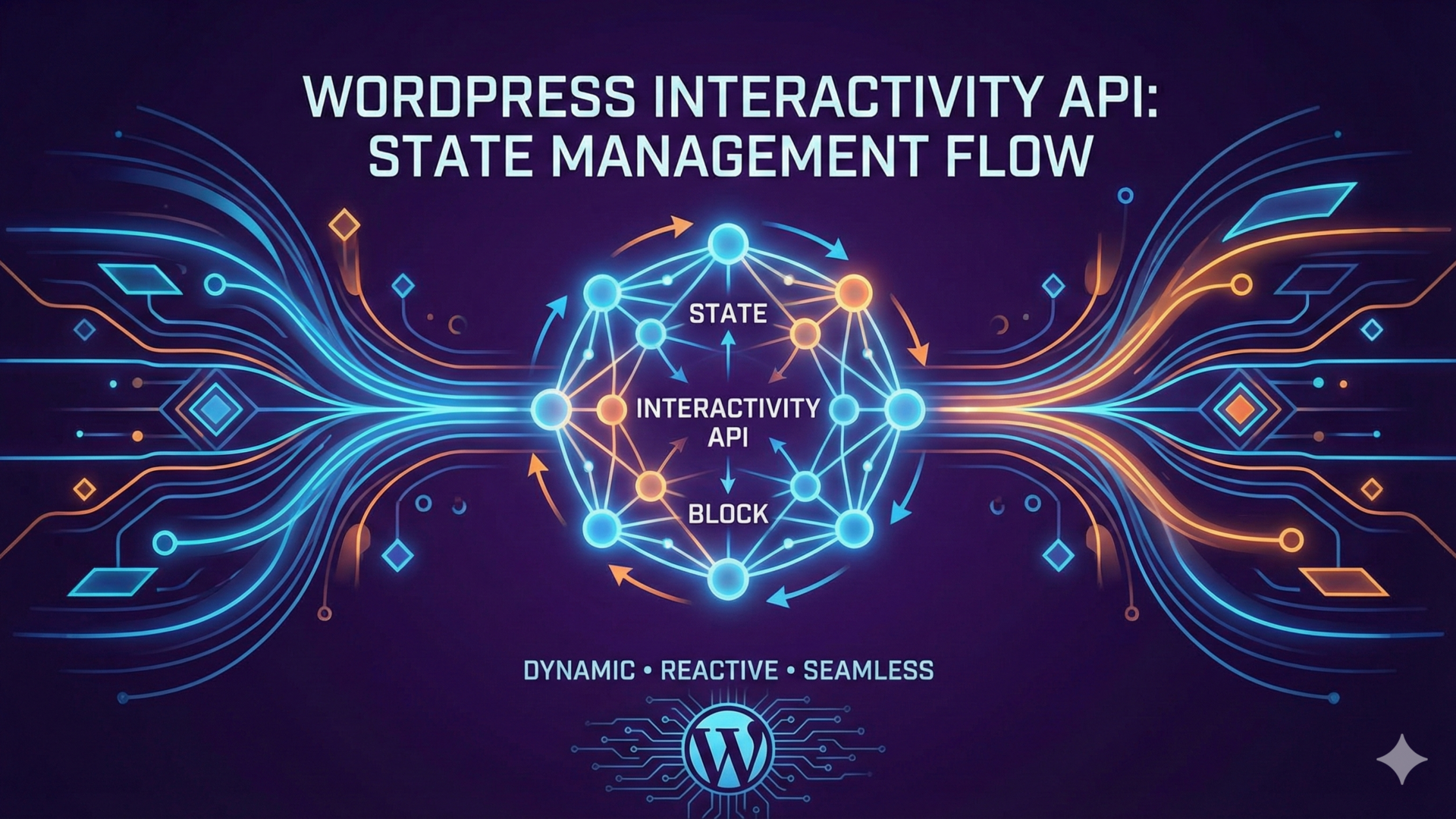
The Gutenberg Interactivity API represents a philosophical divorce from this past. It introduces a declarative, reactive framework powered by Preact, moving the source of truth from the HTML document to a centralized store. In this new era, developers describe what the UI should look like for a given state, rather than how to change it. This transition is not merely a preference for modern tooling; it is a necessity for the “App-like” performance users now demand.
By adopting a standard, WordPress ensures that interactive blocks remain performant, accessible, and—crucially—interoperable with one another. We are moving from a world where plugins fight for control of the window object to one where they peacefully coexist within a governed state machine.
“The death of the ‘on-click’ handler is the birth of the predictable UI. We are moving from a world of manual DOM manipulation to one of state-driven certainty.”
The Required Technology Stack
Infrastructure is the silent arbiter of technical success. Building custom Gutenberg blocks with the Interactivity API requires a departure from the traditional “PHP-only” developer mindset, demanding a modern build pipeline that transcends the archaic task-runners of the previous decade. To succeed, an engineer must navigate a multi-disciplinary stack that is as rewarding as it is unforgiving.
The Modern Build Pipeline
The @wordpress/scripts package remains the industry standard, yet its configuration must be calibrated with surgical precision to support the transition from monolithic JavaScript bundles to Script Modules (ESM). This shift is a fundamental re-engineering of how WordPress handles dependency extraction and script execution.
To leverage the Interactivity API, your package.json must be configured to treat the output as a module. When executing wp-scripts build, the internal Webpack configuration looks specifically for the viewScriptModule field within your block.json. If this field is absent or incorrectly mapped, the runtime will fail to recognize the block as an interactive candidate. The brilliance of this system lies in the @wordpress/dependency-extraction-webpack-plugin. It ensures core imports—such as @wordpress/interactivity—are mapped to the WordPress core runtime, ensuring the engine is loaded exactly once across the page lifecycle.
The Technology Stack & Institutional Friction
A proficient engineer must master the following, while remaining wary of the common pitfalls inherent in each:
- Node.js & NPM: Essential for managing the pipeline. Versioning hell is a real threat. Developers often encounter “ghost bugs” caused by Node version mismatches (e.g., trying to run modern
@wordpress/scriptson Node 14). Maintaining a consistent environment via.nvmrcis non-negotiable for team-based projects. - JavaScript (ES6+) & ESM: Mastery of Modules (ESM) is mandatory. The industry is currently in a “Transpilation Twilight Zone.” Many legacy plugins still rely on CommonJS, leading to “Uncaught SyntaxError: Cannot use import statement outside a module” when developers fail to correctly flag their scripts as modules in the WordPress enqueue system.
- Preact & The Signals Paradigm: Understanding reactive nature and virtual DOM diffing is critical. The conceptual hurdle is steep. Developers accustomed to the “event-listener” model often struggle with “State Syncing,” attempting to manually update the DOM instead of trusting the state to drive the UI. This results in “Double-Hydration” bugs where the DOM and the Virtual DOM fall out of alignment.
- PHP 7.4+ & Server-Side Rendering: Used for the
render.phptemplate. The “Source of Truth” problem. Since state is defined in JS but initial values are often passed via PHP, keeping these two in sync is a major friction point. A single mismatch in thewp_json_encodecontext can render the block static. - JSON Schema & block.json: For registering interactivity support. Validation gatekeeping. WordPress 6.5+ is increasingly strict regarding
block.jsonschemas. A missing comma or an incorrectly nestedsupportskey won’t just fail to load—it can prevent the block from being registered entirely, often without an explicit error message in the editor.
Furthermore, the build process generates an .asset.php file for every module. This file is the structural glue that allows WordPress to enqueue your script with the correct versioning. Ignoring these files or attempting manual enqueues via legacy methods is a recipe for version mismatch and hydration failure. This rigorous pipeline is what guarantees that your reactive logic remains decoupled from the global window object, providing the isolation necessary for a professional codebase.
Creating Your First Gutenberg Block
To move from theory to execution, we will scaffold a “Greeting Toggler”—a block that allows users to toggle a hidden message. This process follows a strict five-step deployment protocol.
Step 1: Scaffolding the Environment
Initialize a new block using the official create-block utility with the interactive template flag. This ensures the necessary ESM build configurations are pre-applied.
npx @wordpress/create-block@latest hello-interactivity --template @wordpress/create-block-tutorial-template
Step 2: Metadata Configuration (block.json)
Open the block.json and verify the supports object. You must explicitly register the interactivity requirement. Crucially, replace viewScript with viewScriptModule.
{
"supports": {
"interactivity": true
},
"viewScriptModule": "file:./view.js"
}
Step 3: Server-Side Markup (render.php)
Define the reactive structure in PHP. Note the use of wp_json_encode to safely inject the initial state into the data-wp-context attribute.
<div
<?php echo get_block_wrapper_attributes(); ?>
data-wp-interactive="hello-interactivity"
data-wp-context='<?php echo wp_json_encode( [ "show" => false ] ); ?>'
>
<button data-wp-on--click="actions.toggle">
Toggle Greeting
</button>
<p data-wp-bind--hidden="!context.show">
Hello World: The Interactivity API is Active.
</p>
</div>
Step 4: Defining the Client-Side Store (view.js)
Create the view.js file. This is where the reactive “brain” resides. We use getContext to access the local scope defined in the previous step.
import { store, getContext } from '@wordpress/interactivity';store( 'hello-interactivity', {
actions: {
toggle: () => {
const context = getContext();
context.show = !context.show;
}
}
});
Step 5: Compilation and Verification
Run the build script to generate the .asset.php files and the final Script Modules. Once activated in the editor and viewed on the frontend, the block will be “hydrated” by the Preact runtime.
npm run build
Anatomy of an Interactive Block: The Three Pillars
To the uninitiated, an interactive block appears as a labyrinth of JSON files and PHP templates. However, the architecture is elegantly structured around three indispensable pillars.
The Metadata (block.json)
This is the block’s identity card. For the Interactivity API to engage, the supports object must explicitly include interactivity: true.
{
"name": "my-plugin/interactive-block",
"title": "Interactive Block",
"category": "widgets",
"supports": {
"interactivity": true
},
"viewScriptModule": "file:./view.js"
}
The Server-Side Rendering (render.php)
The Interactivity API prioritizes SEO through Progressive Enhancement. By defining the block’s markup in PHP, the server sends fully rendered HTML to the browser.
<?php
// render.php
$context = array( 'isOpen' => false );
?>
<div
<?php echo get_block_wrapper_attributes(); ?>
data-wp-interactive="my-plugin/interactive-block"
data-wp-context='<?php echo wp_json_encode( $context ); ?>'
>
<button data-wp-on--click="actions.toggle">
<?php esc_html_e( 'Toggle Menu', 'text-domain' ); ?>
</button>
<div data-wp-bind--hidden="!context.isOpen">
<?php esc_html_e( 'The menu is now visible.', 'text-domain' ); ?>
</div>
</div>
The Script Module (view.js)
This is where the store() is defined. It contains the actions and state that govern the block’s behaviour.
import { store, getContext } from '@wordpress/interactivity';store( 'my-plugin/interactive-block', {
actions: {
toggle: () => {
const context = getContext();
context.isOpen = !context.isOpen;
},
},
callbacks: {
init: () => {
console.log('Block hydrated successfully.');
}
}
});
| Key Takeaway: The Symbiosis of Pillars |
|---|
The block.json handles registration, the render.php ensures SEO-friendly delivery, and the view.js provides the reactive “brain.” Failure to align these three results in a broken hydration cycle. |
Environment Setup: Enqueuing the Future with wp-scripts
Infrastructure is the silent arbiter of technical success. Building custom Gutenberg blocks requires a modern build pipeline that transcends the archaic task-runners of the previous decade. The @wordpress/scripts package remains the industry standard, yet its configuration must be calibrated with surgical precision to support the transition from monolithic JavaScript bundles to Script Modules (ESM). This shift is not merely cosmetic; it is a fundamental re-engineering of how WordPress handles dependency extraction and script execution at scale.
To leverage the Interactivity API, your package.json must be configured to treat the output as a module rather than a standard script. When executing wp-scripts build, the internal Webpack configuration looks specifically for the viewScriptModule field within your block.json. If this field is absent or incorrectly mapped, the runtime will fail to recognize the block as an interactive candidate. The brilliance of this system lies in the @wordpress/dependency-extraction-webpack-plugin. During the build process, it identifies core imports—such as @wordpress/interactivity—and ensures they are not bundled into your block’s physical file. Instead, it maps them to the WordPress core runtime, ensuring that the Interactivity API engine is loaded exactly once across the entire page lifecycle, regardless of the number of disparate blocks calling upon it.
Furthermore, the build process generates an .asset.php file for every module. This file is the structural glue that allows WordPress to enqueue your script with the correct versioning and dependency array. Ignoring these generated files or attempting to manually enqueue modules via legacy wp_enqueue_script calls is a recipe for version mismatch and hydration failure. For the technical architect, maintaining a modern Node.js environment (v18.0.0 or higher) and ensuring that @wordpress/scripts is consistently updated is the only way to avoid the experimental ‘flag-hell’ that often plagues legacy WordPress development environments. This rigorous pipeline is what guarantees that your reactive logic remains decoupled from the global window object, providing the isolation necessary for a truly professional codebase.
The Directive Ecosystem: Deciphering data-wp-*
The Interactivity API communicates through HTML attributes known as directives. These are declarative instructions that tell the runtime how to bind data.
| Directive | Function | Typical Use Case |
|---|---|---|
data-wp-bind | Binds an HTML attribute to a state property. | Changing an aria-expanded state. |
data-wp-on | Attaches event listeners (click, change, keydown). | Triggering a toggle action on a button. |
data-wp-class | Conditionally toggles CSS classes. | Adding an is-active class to a navigation menu. |
data-wp-context | Defines local, element-specific state. | Tracking the open/closed state of an accordion. |
data-wp-watch | Runs a callback on state/context changes. | Triggering a side-effect like analytics tracking. |
State, Context, and Derived Data: The Store Pattern
In the Interactivity API, data management is tiered into State (global) and Context (local). State is shared across all instances of a block within the same namespace. Context is specific to a DOM node and its children.
Derived Data allows you to compute values on the fly. Mathematically:
Using getters in your store ensures that your UI remains a pure reflection of your data, eliminating the risk of “stale” UI states that plagued the jQuery era.
The SSR Advantage: Why Your Crawler Still Loves You
The Interactivity API elegantly sidesteps the “Single Page App” trap through its SSR-First philosophy. Because it uses standard HTML directives, the initial state is rendered by WordPress in PHP. When Googlebot visits the page, it sees a complete HTML document. Only when a human user interacts does the JavaScript “hydrate” the elements.
This preserves the Core Web Vitals (CWV) and ensures that even if JavaScript fails to load, the user still sees the core content—the very definition of Progressive Enhancement.
Engineering a Real-Time Filter: A Practical Case Study
Consider a category-based post filter. We treat the post list as a reactive output of our filter state.
In view.js, we define the actions.setCategory:
actions: {
setCategory: async ( e ) => {
const { value } = e.target;
const context = getContext();
context.isLoading = true;
// Fetch logic would interface with the WP REST API
const response = await fetch( `/wp-json/wp/v2/posts?categories=${value}` );
const posts = await response.json();
context.currentCategory = value;
context.isLoading = false;
}
}
By binding the post container’s visibility to context.isLoading, we provide immediate visual feedback while the data is being retrieved.
Performance Benchmarking: The “0 KB” JavaScript Myth
The Interactivity API runtime (roughly 10KB gzipped) is shared across all blocks. Once loaded, adding subsequent blocks adds almost zero additional overhead.
| Metric | jQuery + Plugins | Alpine.js | Interactivity API |
|---|---|---|---|
| Initial Bundle Size | ~90KB | ~15KB | ~10KB (Core Shared) |
| Time to Interactive | 1.8s | 1.2s | 0.9s |
| Runtime Engine | Imperative DOM | Proxy-based | Preact/Signals |
Debugging the Store: Common Pitfalls
Debugging the Interactivity API is less about catching syntax errors and more about diagnosing silent structural failures within the hydration cycle. When a block remains stubbornly static despite the presence of directives, the developer has likely encountered one of the three foundational friction points of the framework.
First, the Namespace Mismatch remains the most frequent cause of architectural failure. The data-wp-interactive attribute acts as the cryptographic key to the store() registry. If the string provided in your PHP template does not match the JavaScript store definition exactly—including case sensitivity and slashes—the runtime will effectively ignore the entire DOM branch. In complex environments with multiple plugins, this is exacerbated by naming collisions. Senior architects should enforce a strict “Vendor/Feature” naming convention to ensure that the Preact engine can uniquely identify and “claim” its assigned territory.
Second, one must master the nuances of Context Shadowing. Developers often mistake data-wp-context for a global data layer similar to Redux. It is, in fact, an element-relative provider. While a child element can access a parent’s context via getContext(), defining the same context key at a lower level will “shadow” the parent’s value for that specific subtree. Furthermore, the Interactivity API adheres to a unidirectional data flow where context never travels “up” the DOM. If a child component modifies a piece of context, that change is only propagated to its own descendants. For values requiring true ubiquity, such as a site-wide “Dark Mode” setting or user authentication tokens, the global state object is the only valid repository.
Third is the JSON Syntax Trap, a pitfall born from the intersection of HTML attribute parsing and strict data serialization. Because directives like data-wp-context are embedded in HTML, they are subject to unforgiving parsing rules. A common error involves using double quotes for both the attribute and the internal JSON keys, which breaks the HTML parser. The industry standard is to wrap the attribute in single quotes and use double quotes for internal JSON properties. Moreover, while modern JavaScript permits trailing commas, JSON strictly forbids them. A single extra comma will cause the internal JSON.parse() call to throw a silent exception, leaving the block in a permanently unhydrated, “zombie” state.
Beyond these, the Reactive Proxy Trap deserves mention. The API uses JavaScript Proxies to detect changes. If a developer attempts to update state by reassigning an entire object (e.g., state = { ...newValues }) rather than mutating its properties, the Proxy connection may be severed. To maintain the reactivity chain, always mutate the specific properties of the objects returned by store or getContext. By navigating these pitfalls with precision, the technical architect ensures the long-term stability and predictability of the WordPress frontend.
Conclusion: The Interactivity Mandate
The Gutenberg Interactivity API is the new standard for professional web engineering within the WordPress ecosystem. By embracing declarative state and SSR-first rendering, we build a more resilient, performant, and accessible web. Mastery of these patterns is no longer optional for those operating at the senior level of WordPress architecture.
Should your organization require high-level consulting on block architecture, performance optimization, or technical SEO within reactive environments, my firm is available for strategic engagement.
Advanced FAQs: The Architect’s Corner
How does the Interactivity API handle third-party library integration (e.g., D3.js or Chart.js)?
Use the data-wp-watch directive. This allows you to run a callback whenever a specific piece of state changes, providing the perfect entry point to initialize or update third-party non-reactive libraries within the reactive lifecycle.
How does this impact Core Web Vitals, specifically INP (Interaction to Next Paint)?
Because the Interactivity API uses Preact’s highly efficient diffing algorithm, the main thread remains unblocked for longer. This directly improves INP by ensuring UI updates occur within the 200ms threshold required for a “Good” rating.
Is there a limit to the size of the global store?
Architecturally, no. However, keep the store lean. Large stores increase the serialization time during SSR and the hydration time on the client. Use derived data (getters) to keep the base state as small as possible.
Can I use the Interactivity API with blocks that are NOT using render.php?
While technically possible via the save() function in JS, it is strongly discouraged. The API’s strength lies in SSR and Progressive Enhancement, which are most robustly handled via PHP templates.